/*
 Title: "Lift Off"

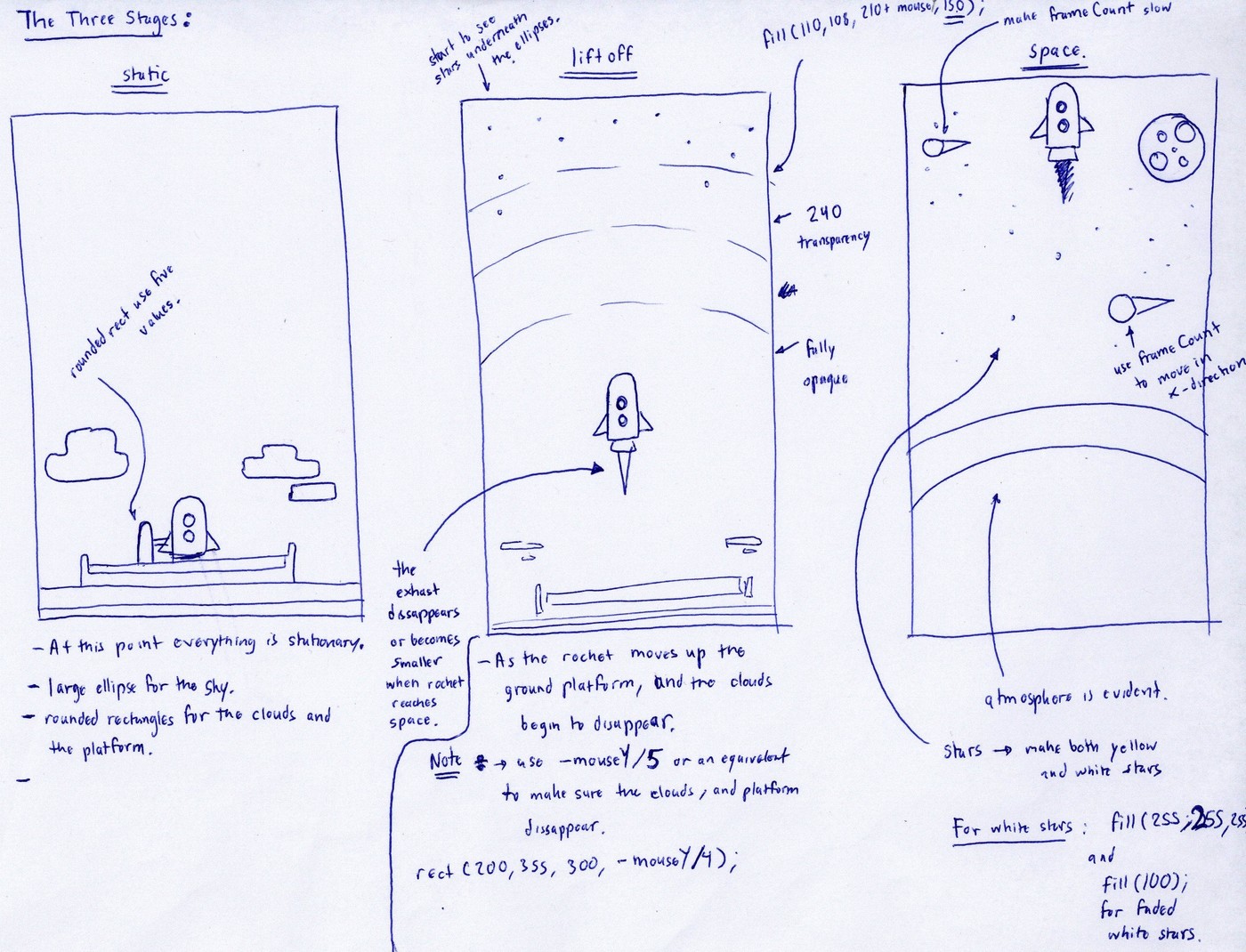
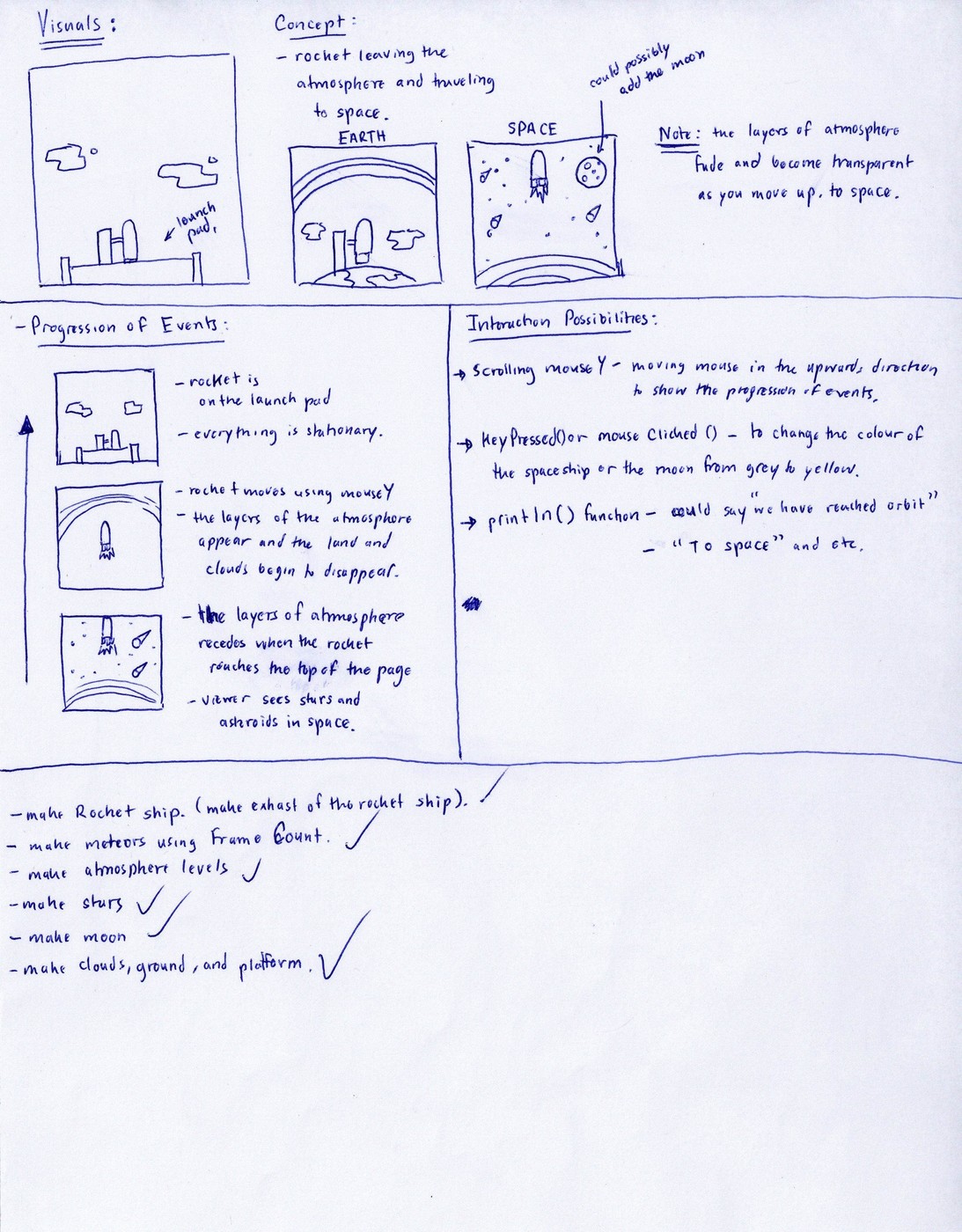
 Description: A rocket launching from a platform on Earth to the outer orbit of space.

 Interactivity:
 1.Press any key to enable the voice command line: "Ready to launch!"
 2.Move mouse upwards to make the rocket and the environment move. (please ensure that the
 cursor is within the canvas when moving the rocket)
 3.Click the mouse to see the yellow  stars flicker and grow in size.

 Author: Sukhraj Johal
 Class: Introduction to Media Computation
 Project:Interactive Drawing Assignment
 Institution:Sheridan College
 Date:September 18th, 2016
 */

void setup() {
  //creates a canvas that is 400 x 400 pixels
  size(400, 400);
}

void draw() {
  //causes no outline for any of the 2D primitive shapes
  noStroke();
  //sets up the background color
  background(31, 35, 50);

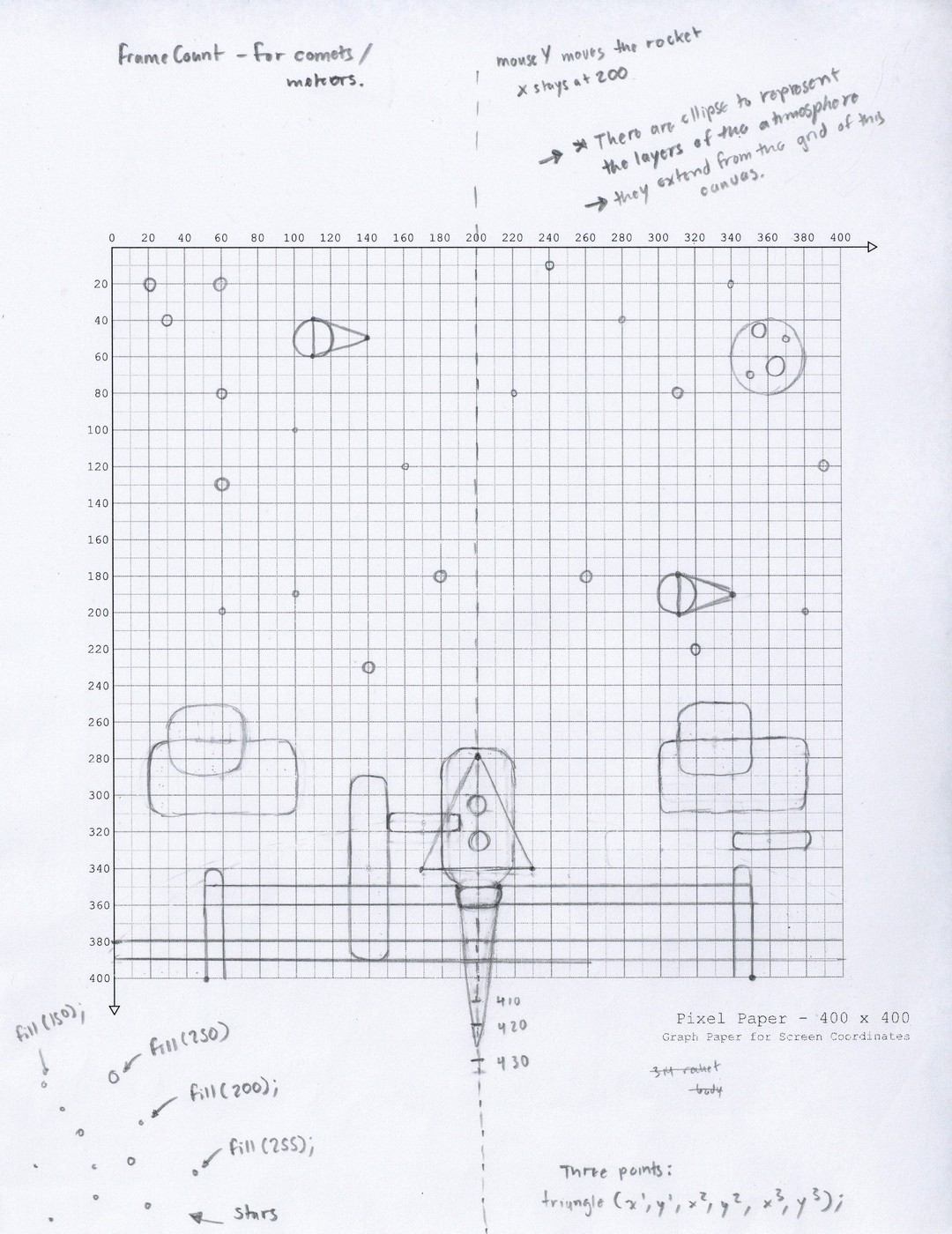
  //moon (creates the overall shape)
  fill(230);
  ellipse(360, 60, 40, 40);

  //creates moon craters (Small)
  fill(200);
  ellipse(350, 70, 5, 5);
  ellipse(370, 50, 5, 5);

  //creates moon craters(Large)
  fill(170);
  ellipse(355, 45, 8, 8);
  fill(180);
  ellipse(365, 65, 10, 10);

  //stars

  // creates large yellow stars
  fill(250, 255, 0);
  ellipse(30, 40, 5, 5);
  ellipse(140, 230, 5, 5);
  ellipse(320, 220, 5, 5);
  ellipse(240, 10, 5, 5);

  //creates small yellow stars
  ellipse(100, 100, 2, 2);
  ellipse(220, 80, 2, 2);

  //creates white stars
  fill(255, 255, 255);
  ellipse(20, 20, 5, 5);
  ellipse(60, 80, 5, 5);
  ellipse(260, 180, 5, 5);
  ellipse(390, 120, 5, 5);
  ellipse(180, 180, 5, 5);

  //creates small white stars
  ellipse(60, 200, 2, 2);
  ellipse(160, 120, 2, 2);
  ellipse(340, 20, 2, 2);
  ellipse(380, 200, 2, 2);
  ellipse(280, 40, 2, 2);
  ellipse(100, 190, 2, 2);

  //creates faded white stars (less visible)
  fill(100);
  ellipse(310, 80, 5, 5);
  ellipse(60, 20, 5, 5);
  ellipse(60, 130, 5, 5);


  //meteors

  //meteor 1 on the left side of the canvas (moves in x axis using frameCount)

  //meteor(tail)
  fill(255, 255, 255, 230);
  triangle(110-frameCount/10, 40, 110-frameCount/10, 60, 140-frameCount/10, 50);

  //meteor (ball)
  fill(180);
  ellipse(110-frameCount/10, 50, 20, 20);


  //meteor 2 right side of the canvas (moves in x axis using frameCount)

  //meteor (tail)
  fill(255, 255, 255, 230);
  triangle(310-frameCount/10, 180, 310-frameCount/10, 200, 340-frameCount/10, 190);

  //meteor (ball)
  fill(180);
  ellipse(310-frameCount/10, 190, 20, 20);

  //atmosphere

  //third layer of the atmosphere(transparent) moves down as the mouse moves up
  fill(110, 108, 210+mouseY, 150);
  ellipse(200, 310-mouseY, 500+mouseY, 100+mouseY);

  //second layer of the atmosphere (slightly transparent) moves down as the mouse moves up
  fill(125, 123, 244+mouseY, 240);
  ellipse(200, 400-mouseY, 500+mouseY, 200+mouseY);


  //Earth Sky: first layer of the atmosphere (opaque) moves down as the mouse moves up
  fill(130, 154, 236+mouseY);
  ellipse(200, 500-mouseY, 500+mouseY, 350+mouseY);

  //clouds (dissapears as the rocket moves upwards)

  //creates clouds (LEFT SIDE of the canvas)
  fill(240+mouseY, 255, 255);
  // centers the rectangle
  rectMode(CENTER);
  rect(60, 290, 80, -mouseY/10, 40);
  rect(55, 270, 50, -mouseY/10, 40);


  //creates clouds(RIGHT SIDE of the canvas)

  rect(340, 290, 80, -mouseY/10, 40);
  rect(330, 270, 40, -mouseY/10, 40);
  rect(360, 325, 40, -mouseY/40, 40);


  // Platform (dissapears as the rocket moves upwards)

  //rocket extender (connects to the rocket at the launch platform)
  fill(156, 140, 135);
  rect(170, 315, 40, -mouseY/40);


  //Rocket (building the rocketship)

  // rocket fins

  // Rocket Fins (left side) moves in mouseY direction
  fill(255, 78, 62);
  triangle(200, -2+mouseY*0.7, 200, 60+mouseY*0.7, 170, 60+mouseY*0.7);

  //Rocket Fins (right side)
  triangle(200, -2+mouseY*0.7, 200, 60+mouseY*0.7, 230, 60+mouseY*0.7);

  //fire exhaust

  //fire exhaust (yellow): disappears when the rocket moves to upper atmosphere levels
  fill(254, 248, 129);
  triangle(200, 45+mouseY, 190, 10+mouseY*0.85, 210, 10+mouseY*0.85);

  //rocket body

  //creates rocket's body (moves in the mouseY direction)
  fill(240);
  rect(200, 35+mouseY*0.7, 40, 75, 255);

  //rocket windows

  //creates a thick line around the windows
  strokeWeight(2);
  //stroke color
  stroke(72, 209, 249);
  //creates the rocket windows (moves in mouseY direction)
  fill(207, 242, 254);
  rect(200, 30+mouseY*0.7, 10, 10, 255);
  rect(200, 45+mouseY*0.7, 10, 10, 255);

  //disables outline around primitive shapes
  noStroke();

  //bottom of the rocket(exhaust) moves in mouseY direction
  fill(197, 202, 214);
  rect(200, 75+mouseY*0.7, 20, 10, 100);

  //Launch Platform (disappears as rocket moves upwards in mouseY direction)

  //creates Platform Tower
  fill(94, 73, 72);
  rect(140, 340, 20, -mouseY/4, 100);

  //creates Platform body
  fill(94, 73, 72);
  rect(200, 400, 300, -mouseY/4);

  //creates launch pad (where the rocket rests on)
  fill(156, 140, 135);
  rect(200, 355, 300, -mouseY/40, 200);

  //creates Platform ends
  fill(94, 73, 72);
  rect(55, 390, 10, -mouseY/4, 200);
  rect(345, 390, 10, -mouseY/4, 200);


  //Earth (dissappears as rocket moves upwards in mouseY direction)

  //creates Earth Ground (Green)
  fill(31, 180, 75);
  rect(200, 390, 400, -mouseY/19);

  //creates Earth Ground(Brown)
  fill(20, 150, 40);
  rect(200, 395, 400, -mouseY/35);
}


/* when the mouse is pressed the yellow stars grow in size and twinkle in white */

//yellow stars
void mousePressed() {
  fill(255);
  ellipse(30, 37, 8, 8);
  ellipse(140, 230, 8, 8);
  ellipse(320, 220, 8, 8);
  ellipse(240, 10, 8, 8);

  //small yellow stars
  ellipse(100, 100, 5, 5);
  ellipse(220, 80, 5, 5);
}

//Press any key to execute the println() phrase in the parentheses
void keyPressed() {
  println("Ready to launch!");
}