/*****************************************************
 The Ball
 ******************************************************/

class Ball {
  //naming my variables
  float x;
  float y;
  float speed;

  //creating my constructors for my fuctions to refer to
  Ball(float tempX, float tempY, float tempspeed) {
    x = tempX;
    y = tempY;
    speed = tempspeed;
  }

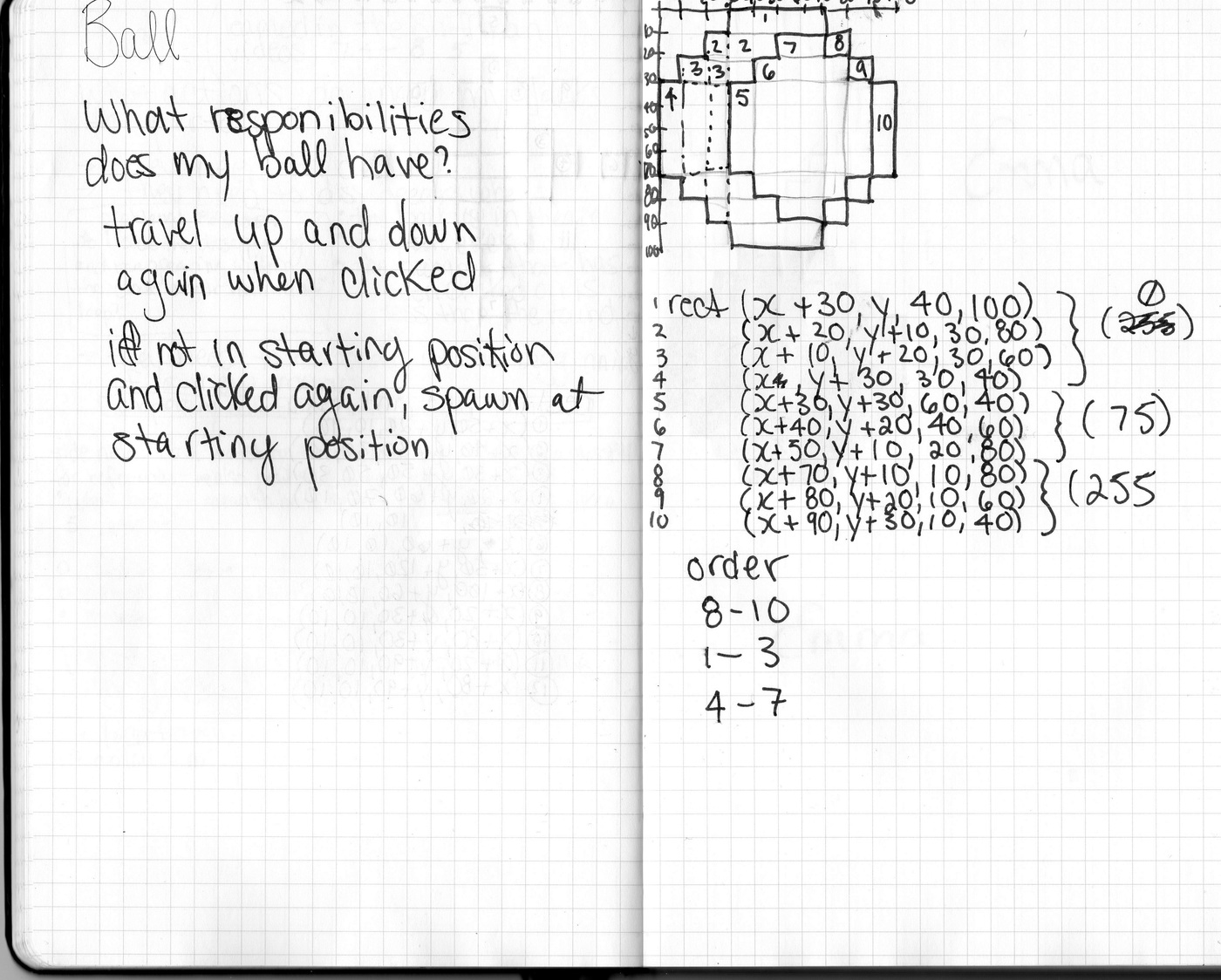
  void display() {
    noStroke();

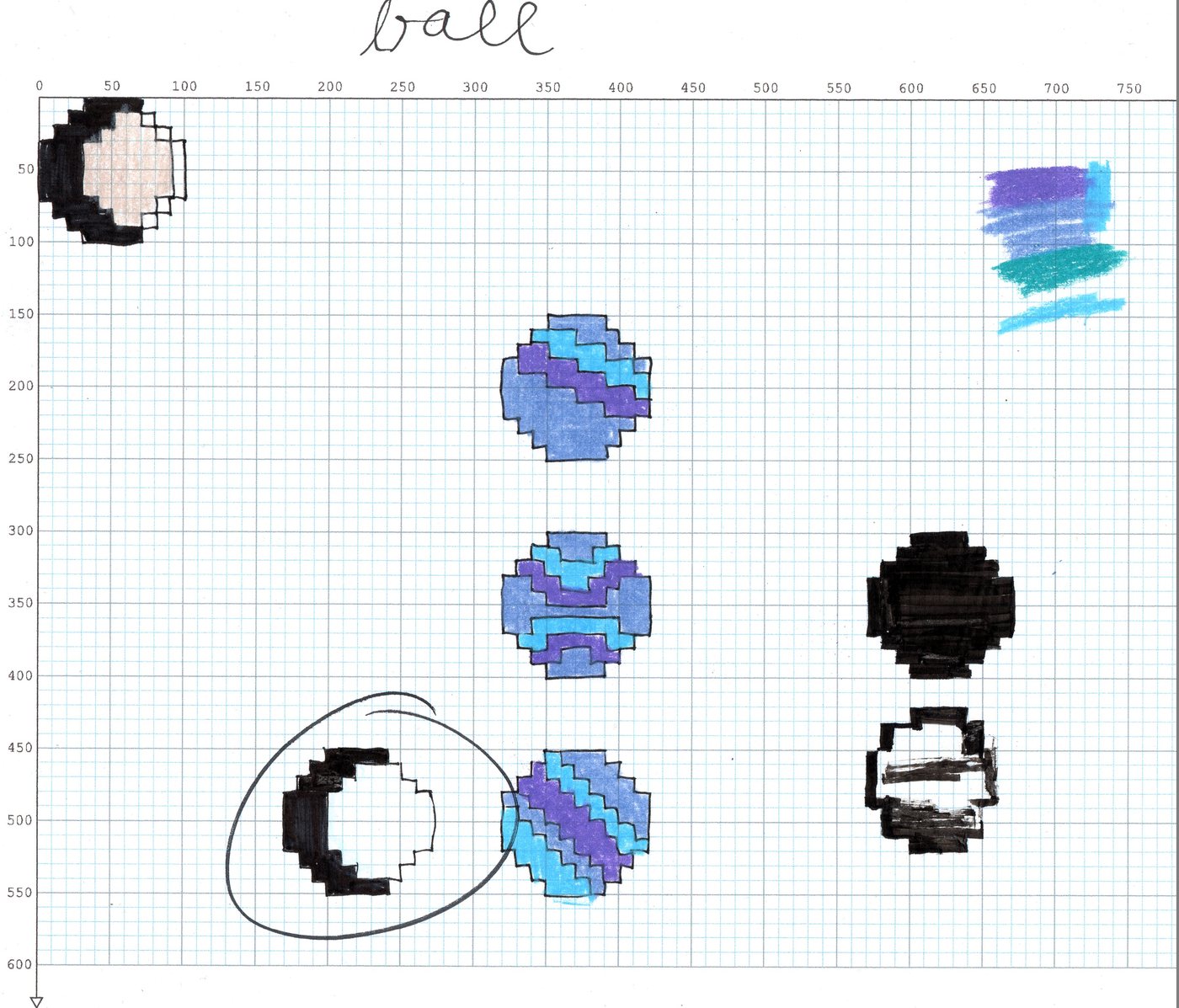
    //decided to go with only 2 values instead of 3 (like in my technical drawings), less lines
    fill(#904747, 200);
    rect(x+30, y, 40, 100);
    rect(x+20, y+10, 30, 80);
    rect(x+10, y+20, 30, 60);
    rect(x, y+30, 30, 40);
    fill(#D88D78, 200);
    rect(x+30, y+30, 70, 40);
    rect(x+40, y+20, 50, 60);
    rect(x+50, y+10, 30, 80);
  }

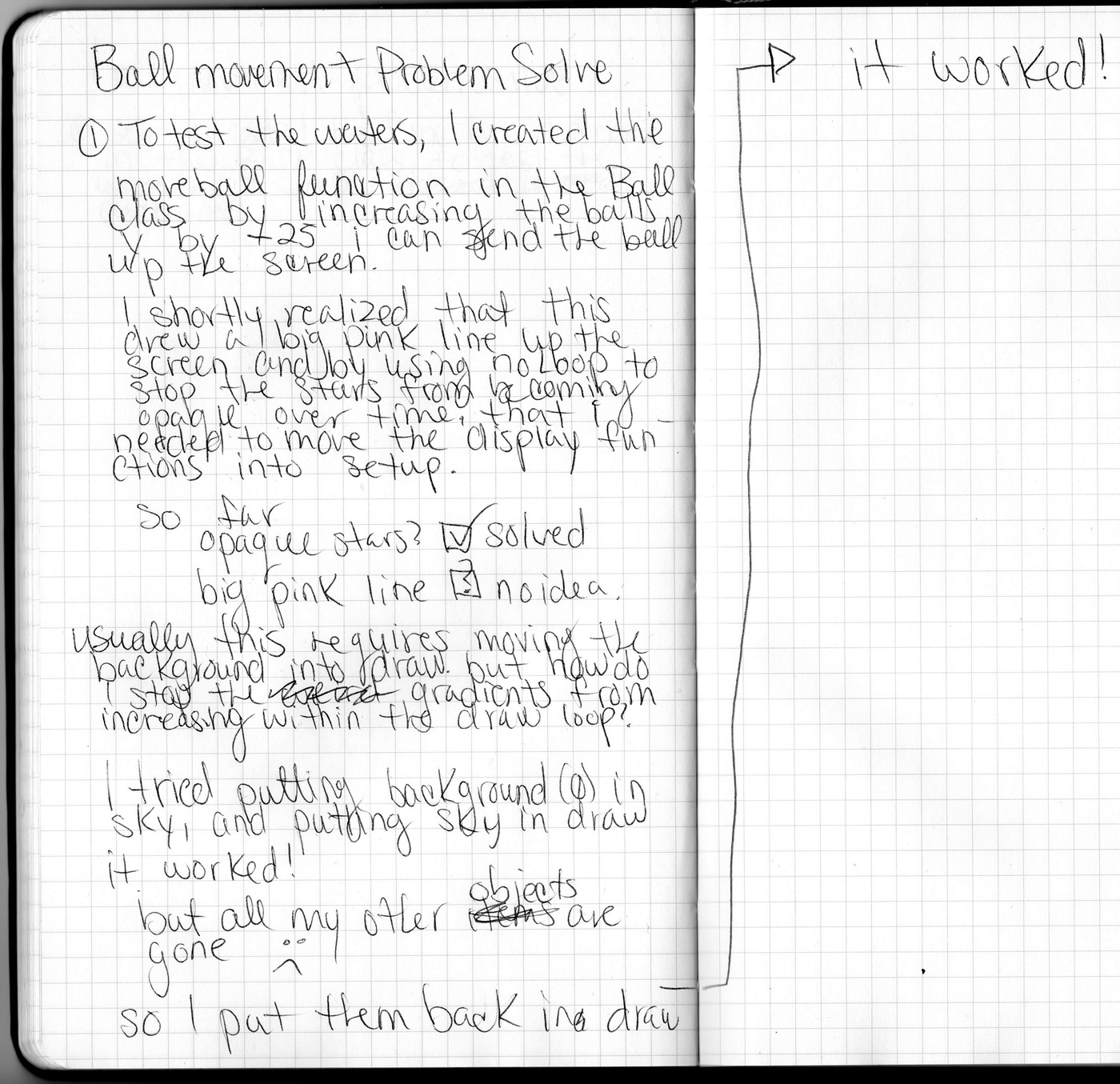
  // this first function sends my ball flying into the air!
  void moveball() {
    y = y-speed;
  }

  //This sends my ball back down once it hits the top of the screen, at the same speed
  void bounce() {
    if ( y <= 0 ) {
      speed = speed * -1;
    }
  }

  // When the ball reaches its original position (plus one pixel) it stops.
  //if I had this working how I wanted, when y=521 the jacks would reset
  void endmove() {
    if (y >= 521) {
      speed = 0;
    }
  }


  //next step: can I make these functions into one function for simplicity?
}
/***********************************************************************************
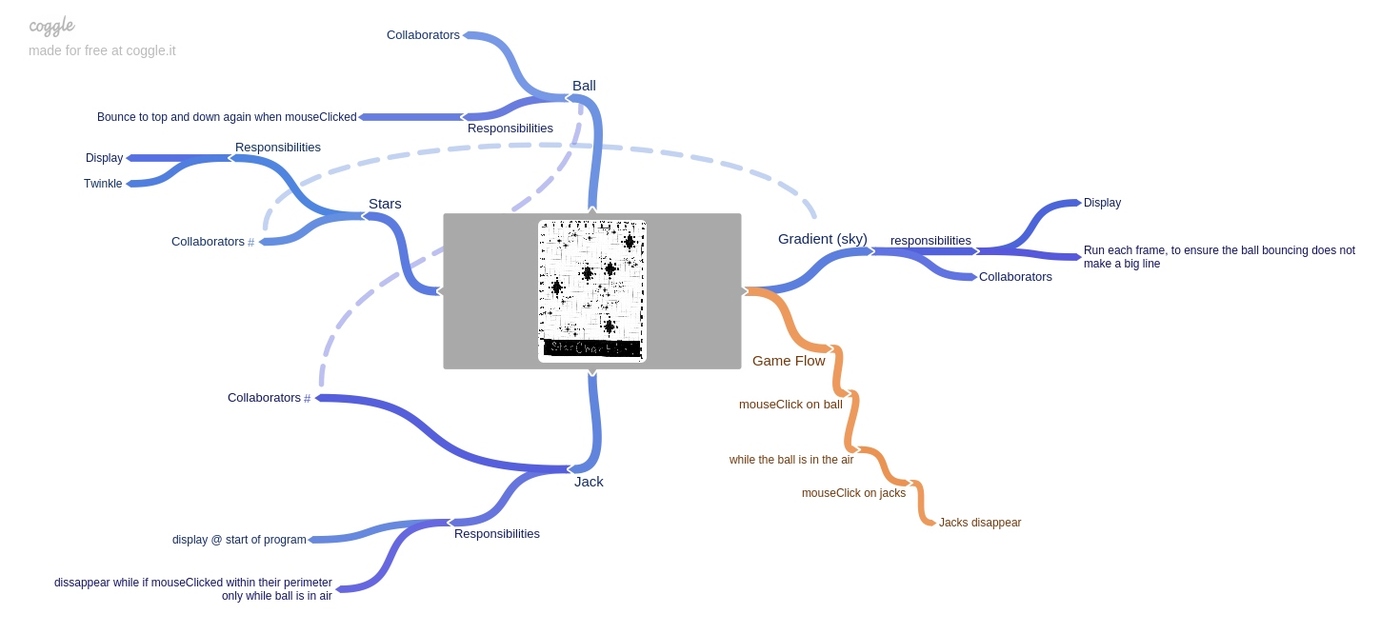
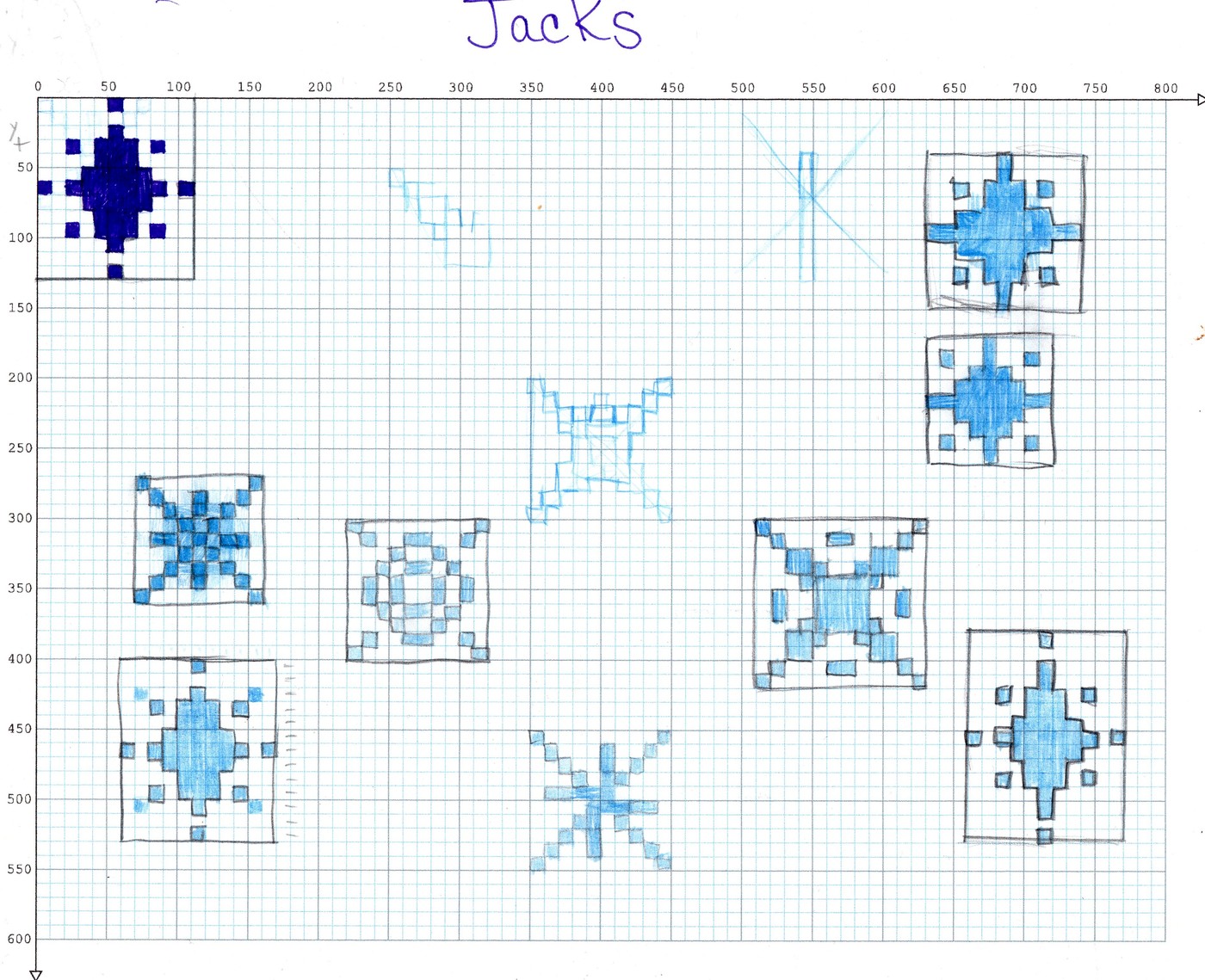
"Jacks" (the big stars that were supposed to have been interactive)
***************************************************************************************/
class Jack {
//defining my variables
PVector location;
// constructing my variables
Jack(float tempX, float tempY) {
location = new PVector (tempX, tempY);
}
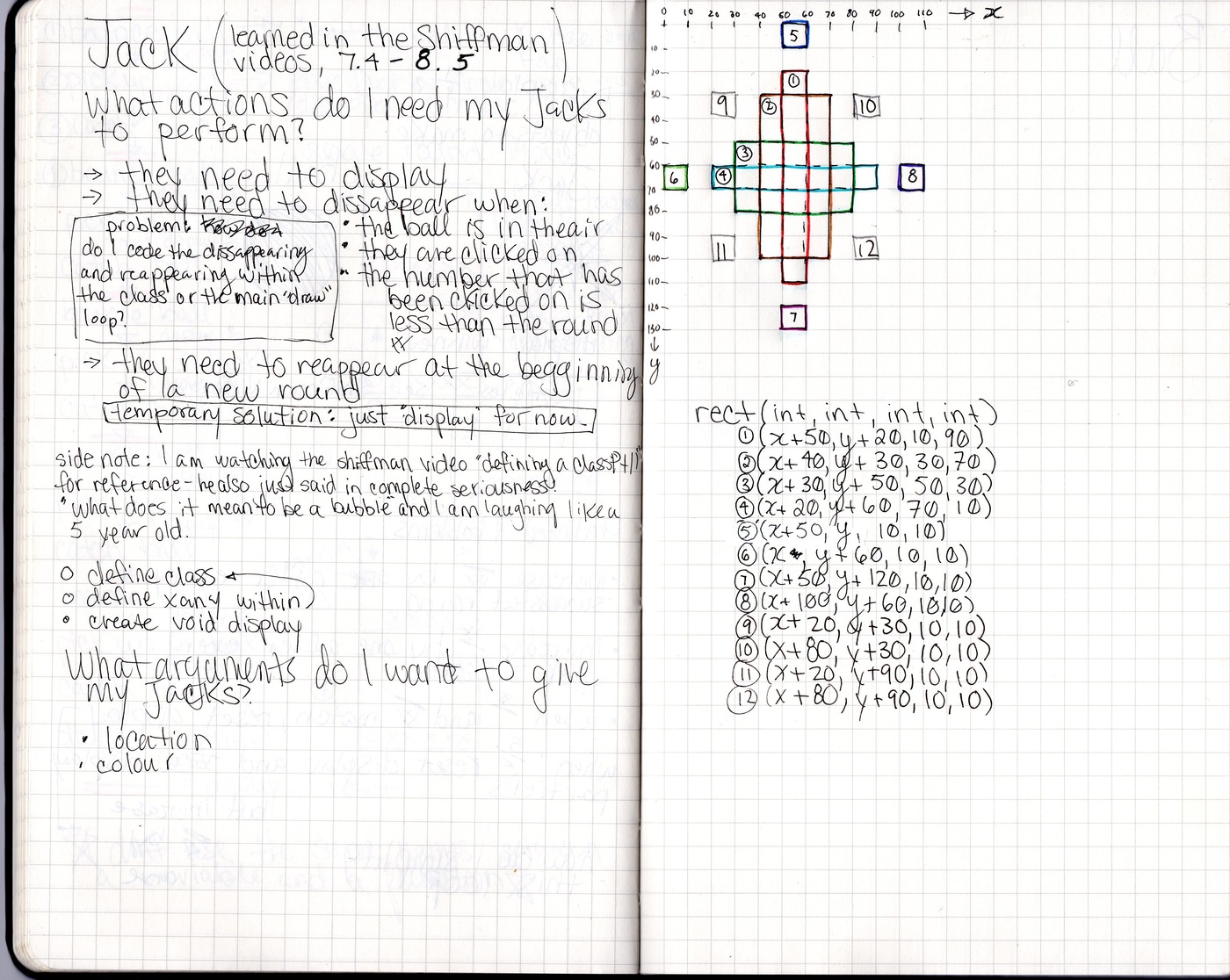
void display() {
noStroke();
fill (#FFC771, 100);
rect(location.x+50, location.y+20, 10, 90);
rect(location.x+40, location.y+30, 30, 70);
rect(location.x+30, location.y+50, 50, 30);
rect(location.x+20, location.y+60, 70, 10);
rect(location.x+50, location.y, 10, 10);
rect(location.x, location.y+60, 10, 10);
rect(location.x+50, location.y+120, 10, 10);
rect(location.x+100, location.y+60, 10, 10);
rect(location.x+20, location.y+30, 10, 10);
rect(location.x+80, location.y+30, 10, 10);
rect(location.x+20, location.y+90, 10, 10);
rect(location.x+80, location.y+90, 10, 10);
}
//it was my intention to add a function that would make my jacks vanish if the mouse was clicked within a "hit box" around the jack
}/*****************************************************
Background Starfields
******************************************************/
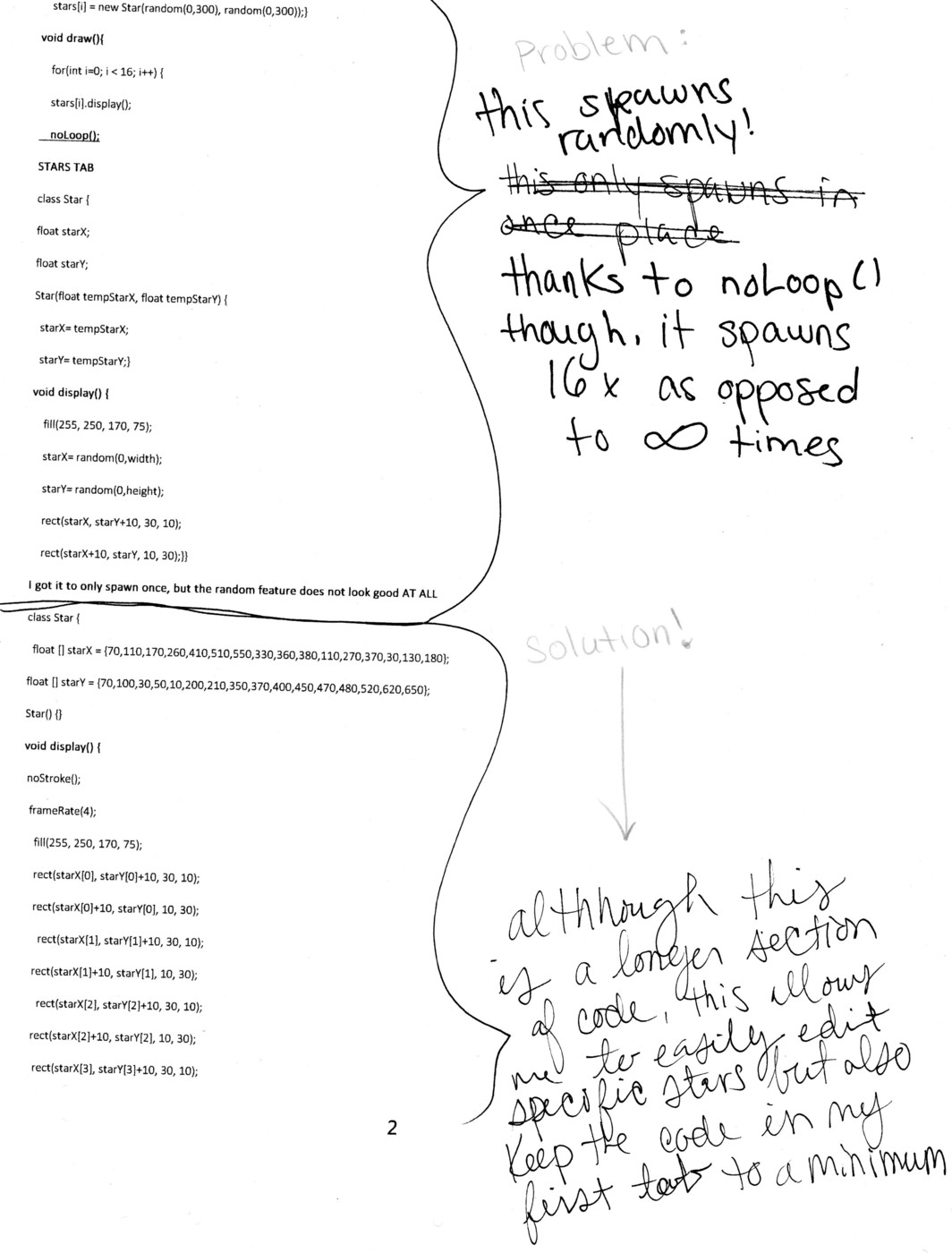
class Starfield {
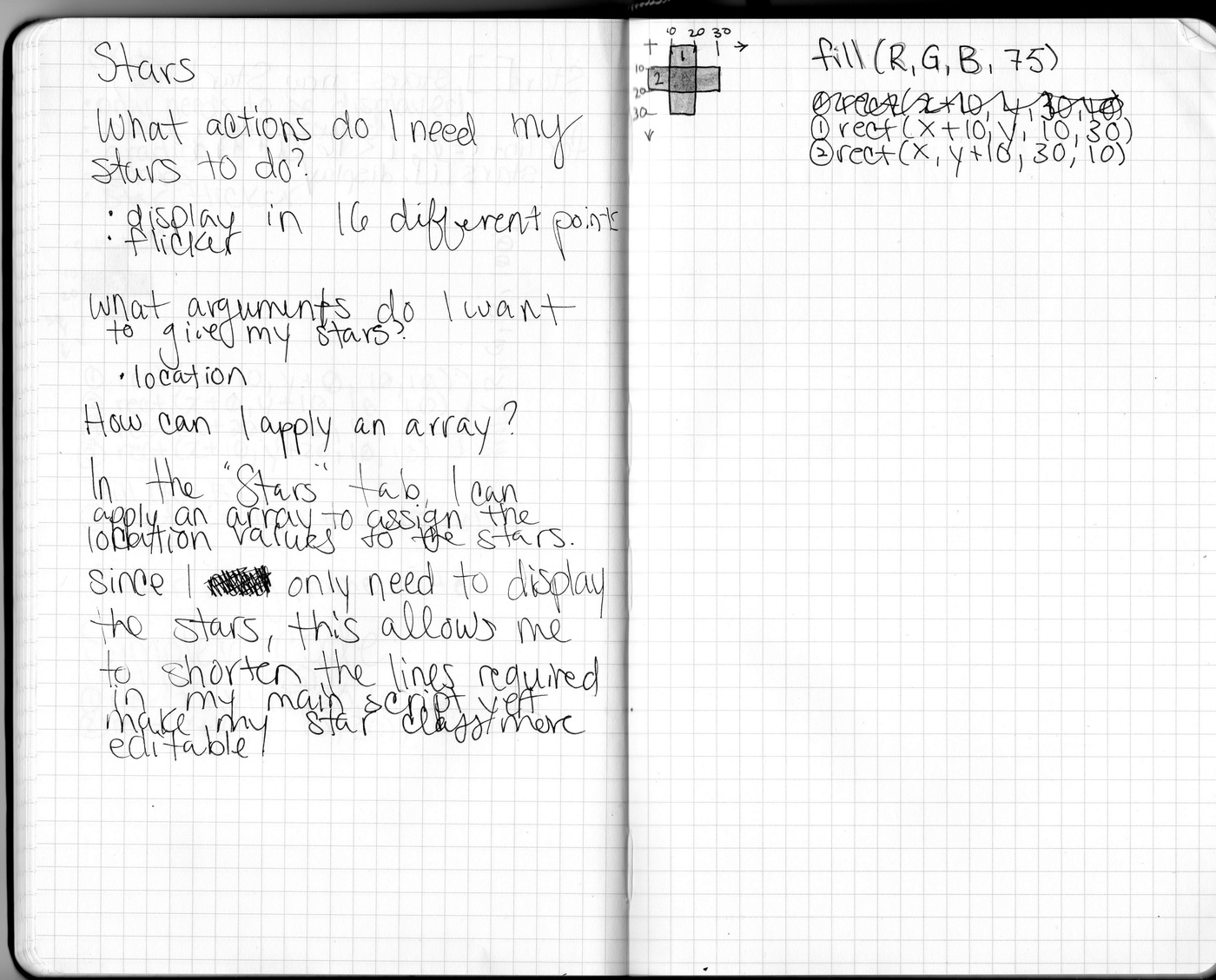
//used an arrayList to better edit my stars if needed
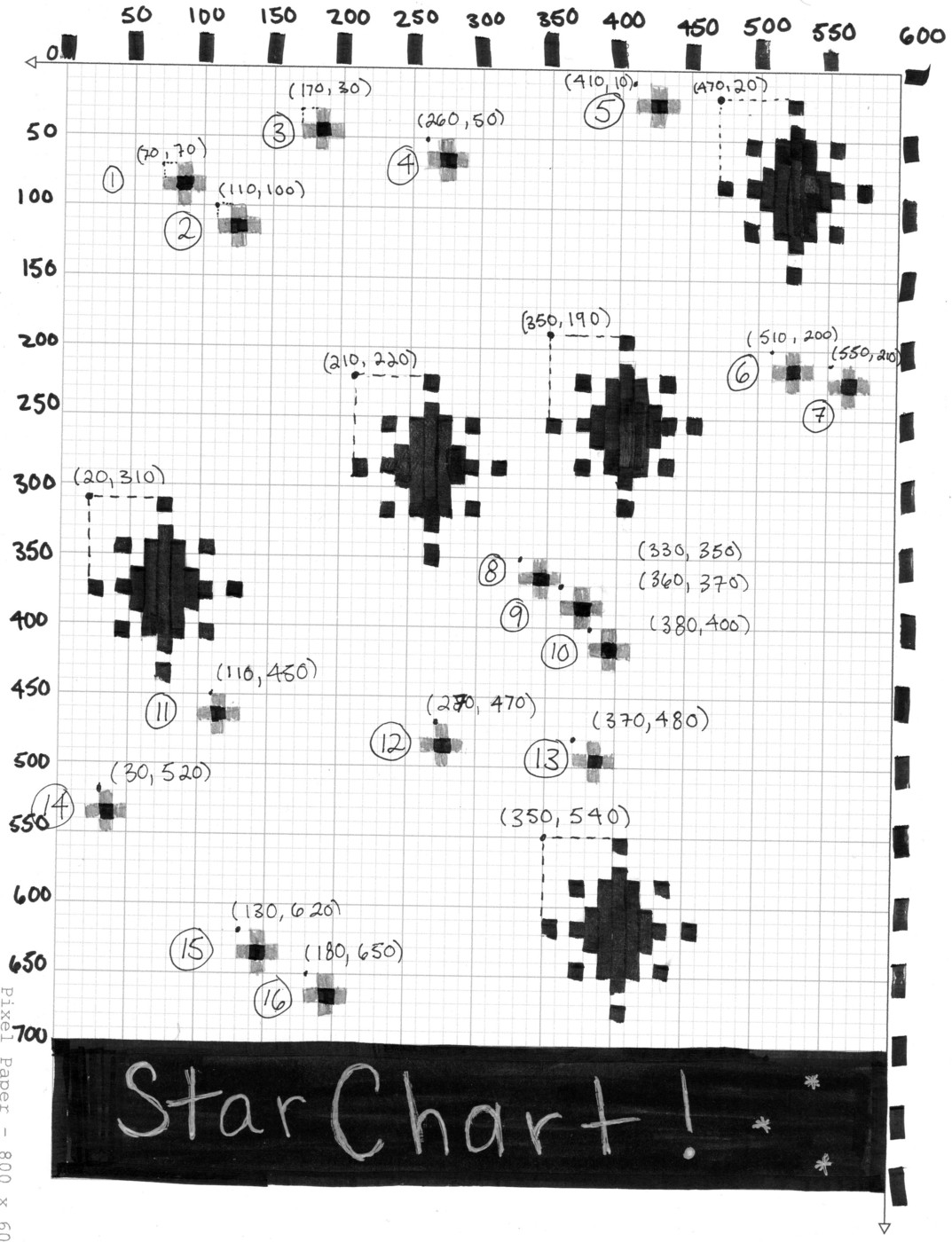
float [] StarfieldX = {70, 110, 170, 260, 410, 510, 550, 330, 360, 380, 110, 270, 370, 30, 130, 180};
float [] StarfieldY = {70, 100, 30, 50, 10, 200, 210, 350, 370, 400, 450, 470, 480, 520, 620, 650};
Starfield() {
}
//Display the stars to add some interest to the background!
// I could have maybe put these into the "Sky" class, but for work flow, this was easier to digest
void display() {
noStroke();
fill(#FFF8A2, 75);
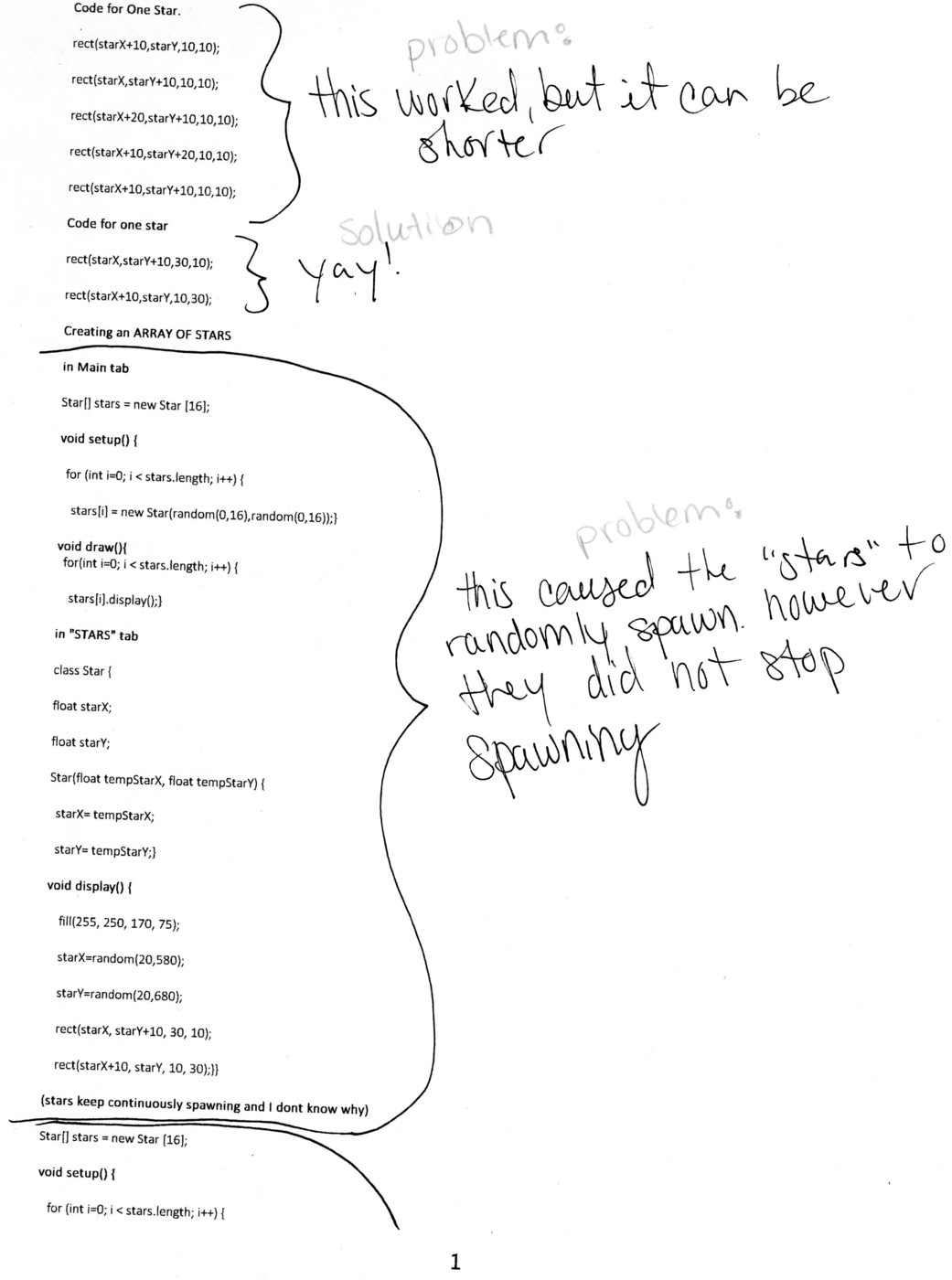
rect(StarfieldX[0], StarfieldY[0]+10, 30, 10);
rect(StarfieldX[0]+10, StarfieldY[0], 10, 30);
rect(StarfieldX[1], StarfieldY[1]+10, 30, 10);
rect(StarfieldX[1]+10, StarfieldY[1], 10, 30);
rect(StarfieldX[2], StarfieldY[2]+10, 30, 10);
rect(StarfieldX[2]+10, StarfieldY[2], 10, 30);
rect(StarfieldX[3], StarfieldY[3]+10, 30, 10);
rect(StarfieldX[3]+10, StarfieldY[3], 10, 30);
rect(StarfieldX[4], StarfieldY[4]+10, 30, 10);
rect(StarfieldX[4]+10, StarfieldY[4], 10, 30);
rect(StarfieldX[5], StarfieldY[5]+10, 30, 10);
rect(StarfieldX[5]+10, StarfieldY[5], 10, 30);
rect(StarfieldX[6], StarfieldY[6]+10, 30, 10);
rect(StarfieldX[6]+10, StarfieldY[6], 10, 30);
rect(StarfieldX[7], StarfieldY[7]+10, 30, 10);
rect(StarfieldX[7]+10, StarfieldY[7], 10, 30);
rect(StarfieldX[8], StarfieldY[8]+10, 30, 10);
rect(StarfieldX[8]+10, StarfieldY[8], 10, 30);
rect(StarfieldX[9], StarfieldY[9]+10, 30, 10);
rect(StarfieldX[9]+10, StarfieldY[9], 10, 30);
rect(StarfieldX[10], StarfieldY[10]+10, 30, 10);
rect(StarfieldX[10]+10, StarfieldY[10], 10, 30);
rect(StarfieldX[11], StarfieldY[11]+10, 30, 10);
rect(StarfieldX[11]+10, StarfieldY[11], 10, 30);
rect(StarfieldX[12], StarfieldY[12]+10, 30, 10);
rect(StarfieldX[12]+10, StarfieldY[12], 10, 30);
rect(StarfieldX[13], StarfieldY[13]+10, 30, 10);
rect(StarfieldX[13]+10, StarfieldY[13], 10, 30);
rect(StarfieldX[14], StarfieldY[14]+10, 30, 10);
rect(StarfieldX[14]+10, StarfieldY[14], 10, 30);
rect(StarfieldX[15], StarfieldY[15]+10, 30, 10);
rect(StarfieldX[15]+10, StarfieldY[15], 10, 30);
}
}