/******************************************************************
 *File Name: Simon_Says
 *Author: Jacob Estrella
 *Date: October 20, 2016
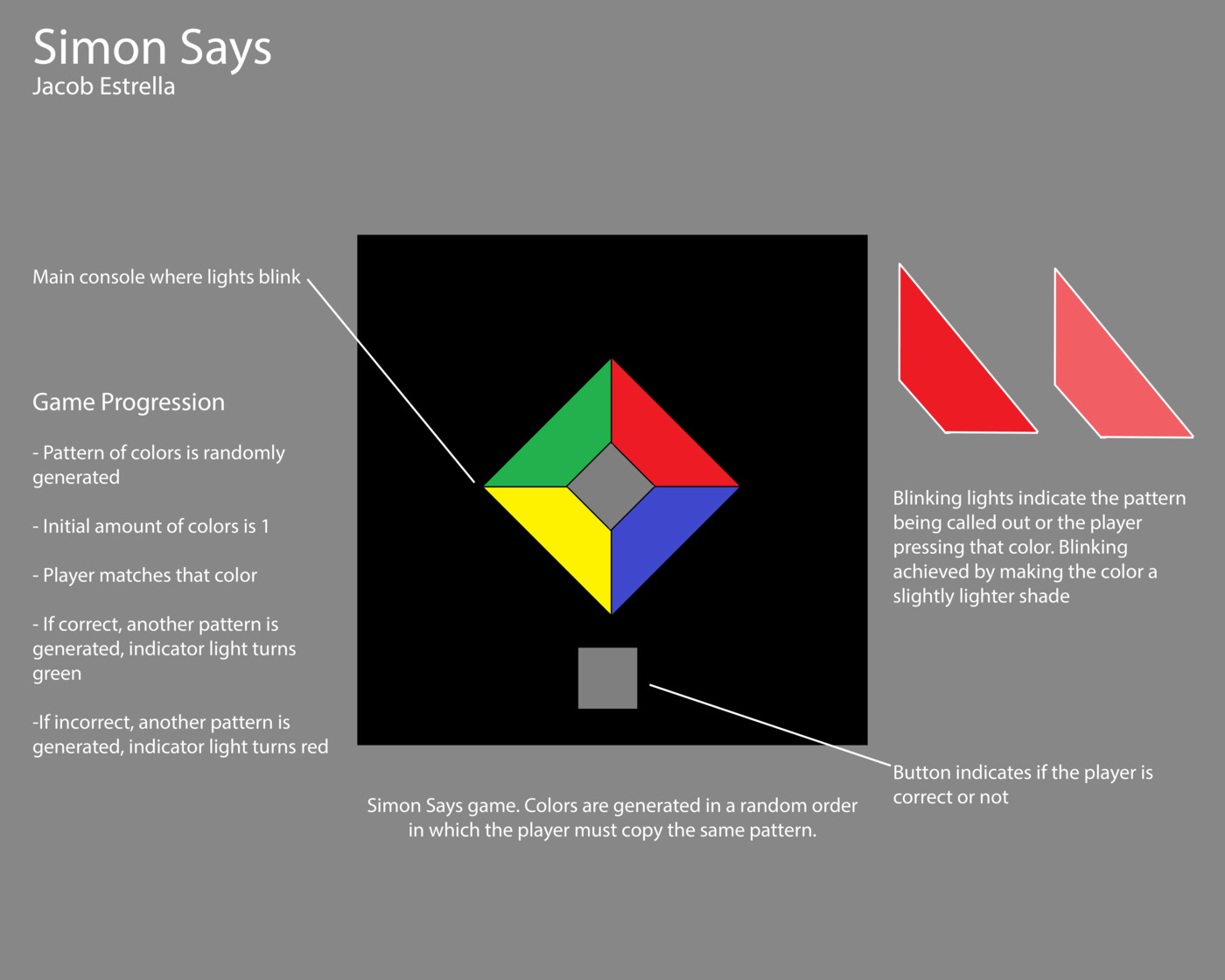
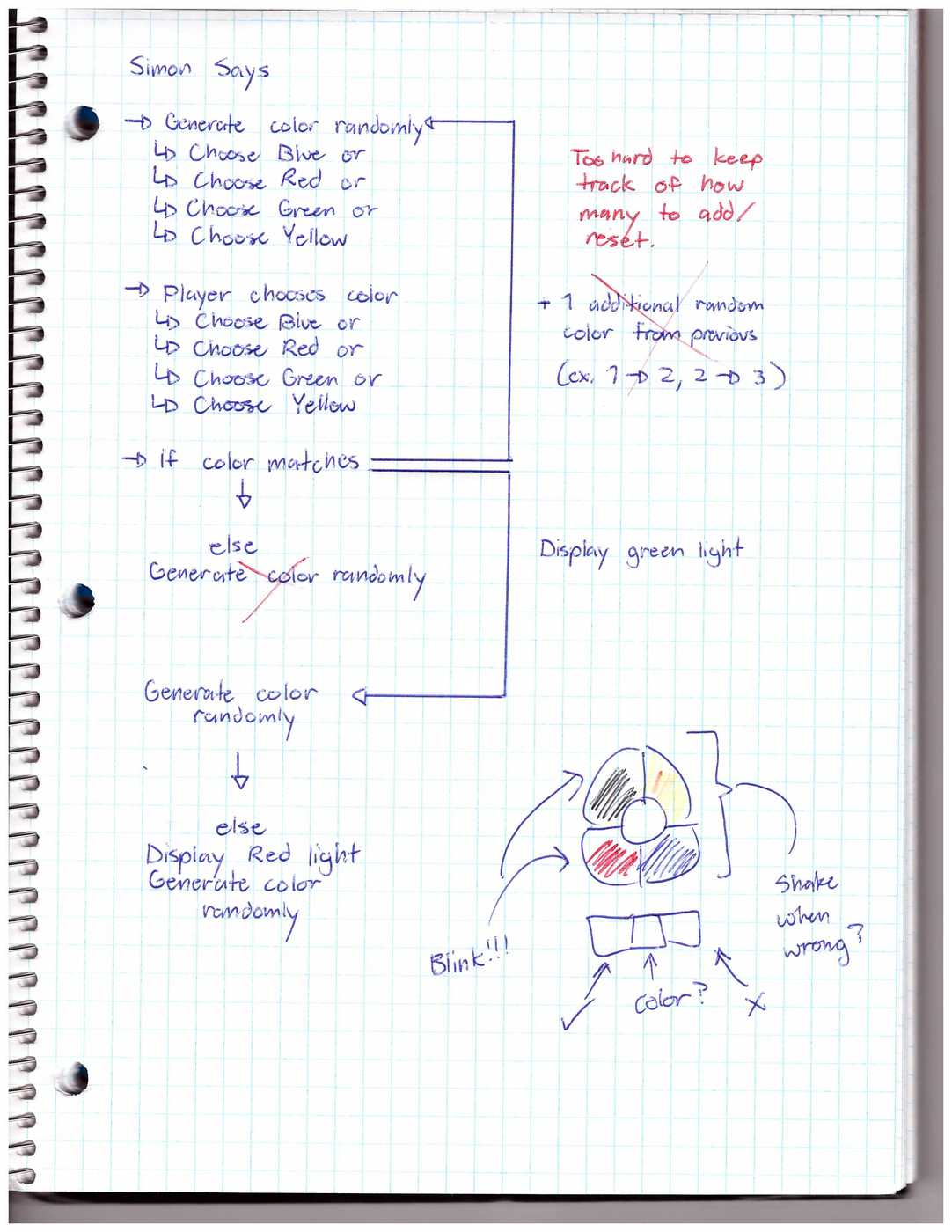
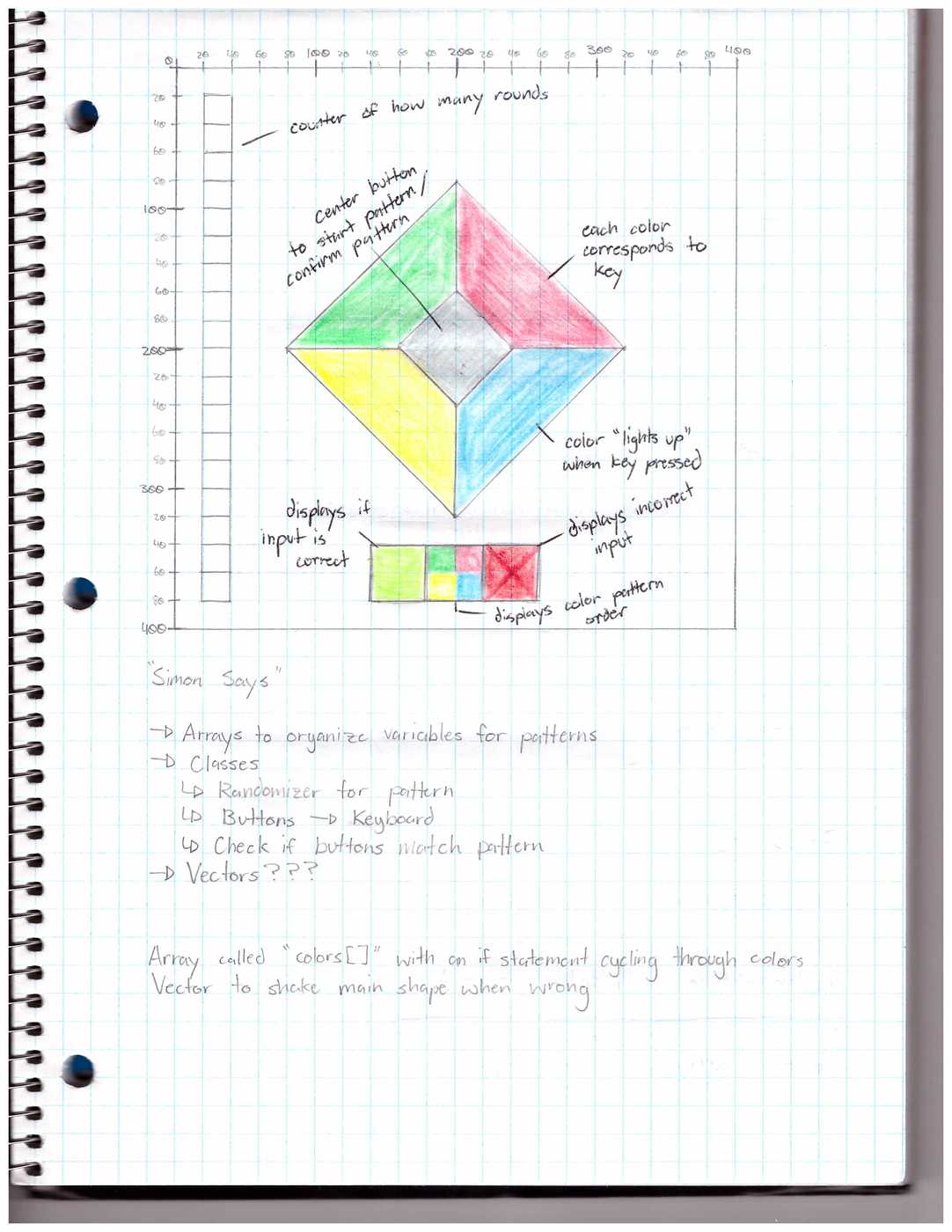
 *Description: An interactive toy using objects and classes.
 *Players respond to a generated pattern and try to match the color
 *displayed on screen. A light tells them if they are correct or not
 ******************************************************************/

//Class Declaration
PatternGenerator pattern = new PatternGenerator();
PlayerInput input = new PlayerInput();
MatchCheck check = new MatchCheck();

//Global Variable Declaration

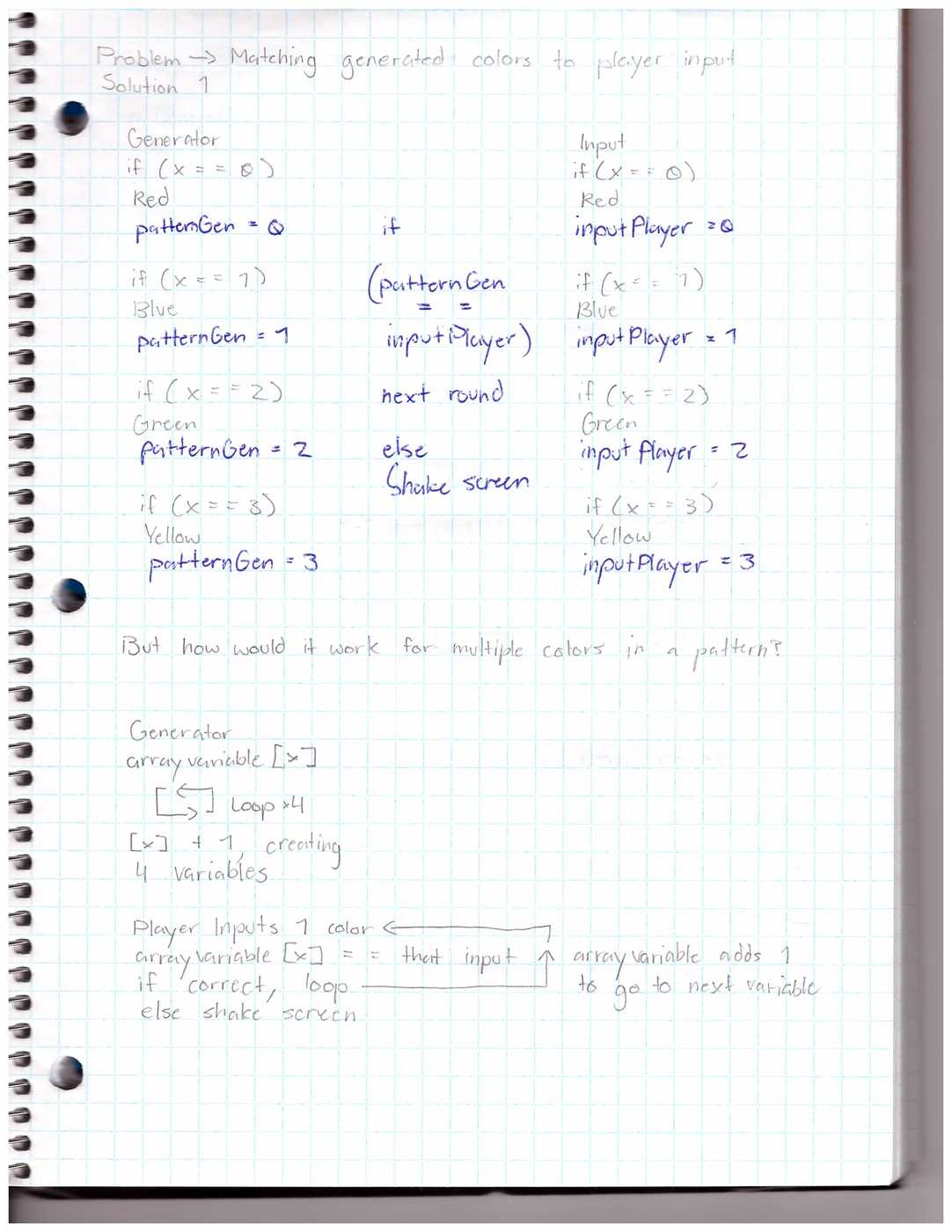
//Used to check if the generated pattern and player input match
int [] correctMatch = new int [2];

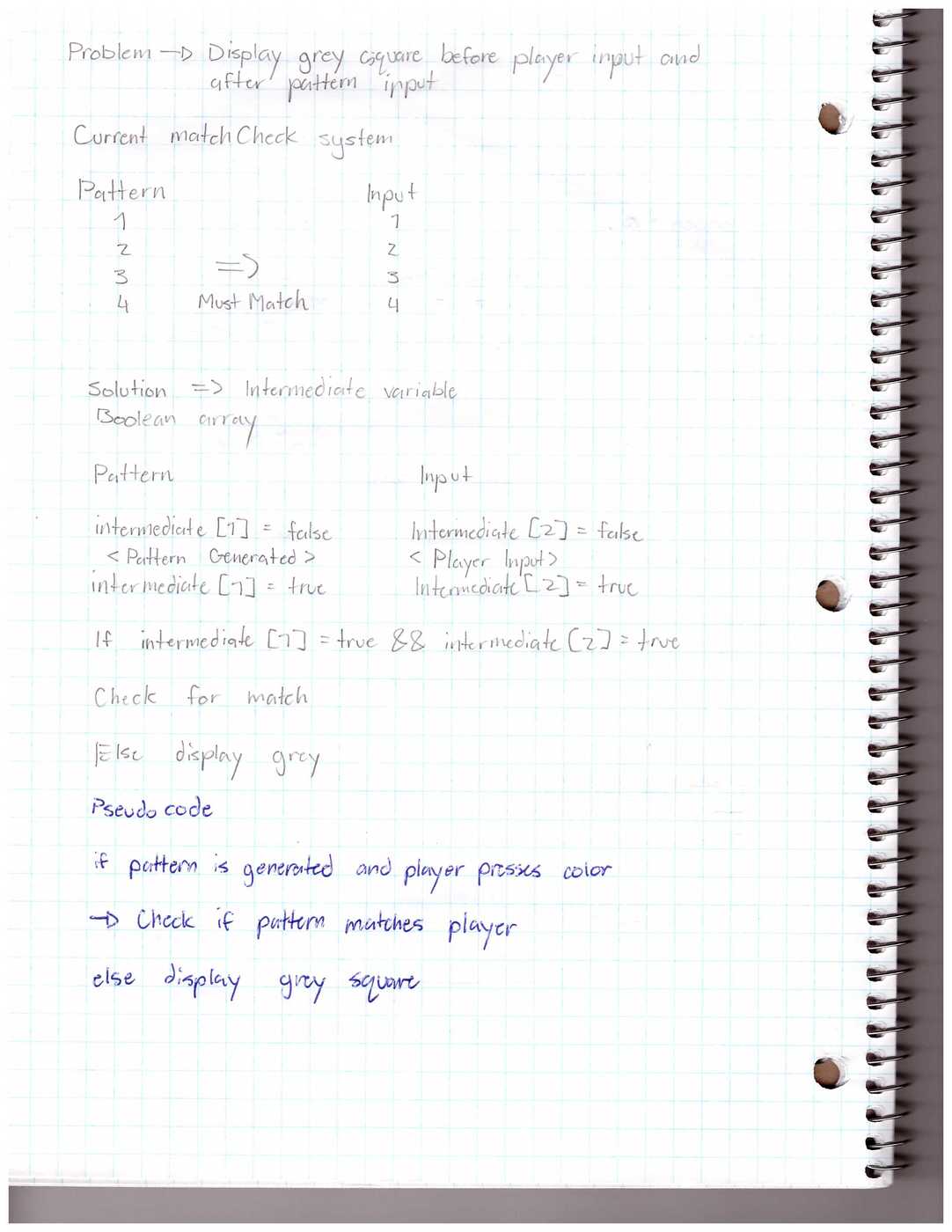
//Used to check if there is player input before displaying correct/incorrect lights
boolean [] pauseBeforeCheck = new boolean [2];


void setup()
{
  size(400, 400);

  //Rules and directions for player
  playerControls();
  //Initializing global variables to not set off indicator lights
  pauseBeforeCheck [0] = false;
  pauseBeforeCheck [1] = false;
}

void draw()
{
  background(0);

  //Green Button
  fill(0, 255, 0, 170);
  triangle(200, 80, 200, 200, 80, 200);

  //Red Button
  fill(255, 0, 0, 170);
  triangle(200, 80, 200, 200, 320, 200);

  //Yellow Button
  fill(255, 255, 0, 170);
  triangle(80, 200, 200, 200, 200, 320);

  //Blue Button
  fill(0, 0, 255, 170);
  triangle(200, 200, 200, 320, 320, 200);

  //Center Button
  fill(170);
  quad(200, 160, 160, 200, 200, 240, 240, 200);

  //Indicator Light
  fill(255, 0, 0);
  rect(180, 340, 40, 40);
  noFill();

  //After every loop/input, checks if correct to display proper indicator light
  check.playerMatchCheck();
}

void keyPressed()
{
  //Pressing the Spacebar randomizes the color
  if (keyCode == 32)
  {
    frameRate(2);
    pattern.pattern();

    //Sets the generated pattern variable to true
    pauseBeforeCheck [0]= true;
  }

  //Pressing R flashes the Red Button
  if (key == 'r')
  {
    frameRate(2);
    input.buttonRed();

    //Sets the player input variable to true
    pauseBeforeCheck [1]= true;
  }

  //Pressing G flashes the Green Button
  if (key == 'g')
  {
    frameRate(2);
    input.buttonGreen();

    //Sets the player input variable to true
    pauseBeforeCheck [1]= true;
  }

  //Pressing B flashes the Blue Button
  if (key == 'b')
  {
    frameRate(2);
    input.buttonBlue();

    //Sets the player input variable to true
    pauseBeforeCheck [1]= true;
  }

  //Pressing Y flashes the Yellow Button
  if (key == 'y')
  {
    frameRate(2);
    input.buttonYellow();

    //Sets the player input variable to true
    pauseBeforeCheck [1]= true;
  }
}

//Rules and directions of the toy
void playerControls()
{
  println("Press 'Spacebar' to produce a random color");
  println("To match the color, press 'R' for Red, 'B' for Blue, 'Y' for Yellow, and 'G' for Green");
}
class MatchCheck
{
//Position of the indicator light
PVector indicatorLight = new PVector(180, 340);
void playerMatchCheck()
{
//When a generated pattern and player input is recieved, the color check runs
if (pauseBeforeCheck[0] == true && pauseBeforeCheck[1] == true)
{
//If the player is correct and matches colors, indicator light displays green
if (correctMatch[0] == correctMatch [1])
{
fill(0, 255, 0);
rect(indicatorLight.x, indicatorLight.y, 40, 40);
pauseBeforeCheck[0] = false;
pauseBeforeCheck[1] = false;
}
//If the player is incorrect and the colors do not match, indicator light displays red
if (correctMatch[0] != correctMatch [1])
{
fill(255, 0, 0);
rect(indicatorLight.x, indicatorLight.y, 40, 40);
pauseBeforeCheck[0] = false;
pauseBeforeCheck[1] = false;
}
}
//Otherwise a grey, neutral indicator light displays
else
{
fill(170);
rect(indicatorLight.x, indicatorLight.y, 40, 40);
}
}
}class PatternGenerator
{
void pattern()
{
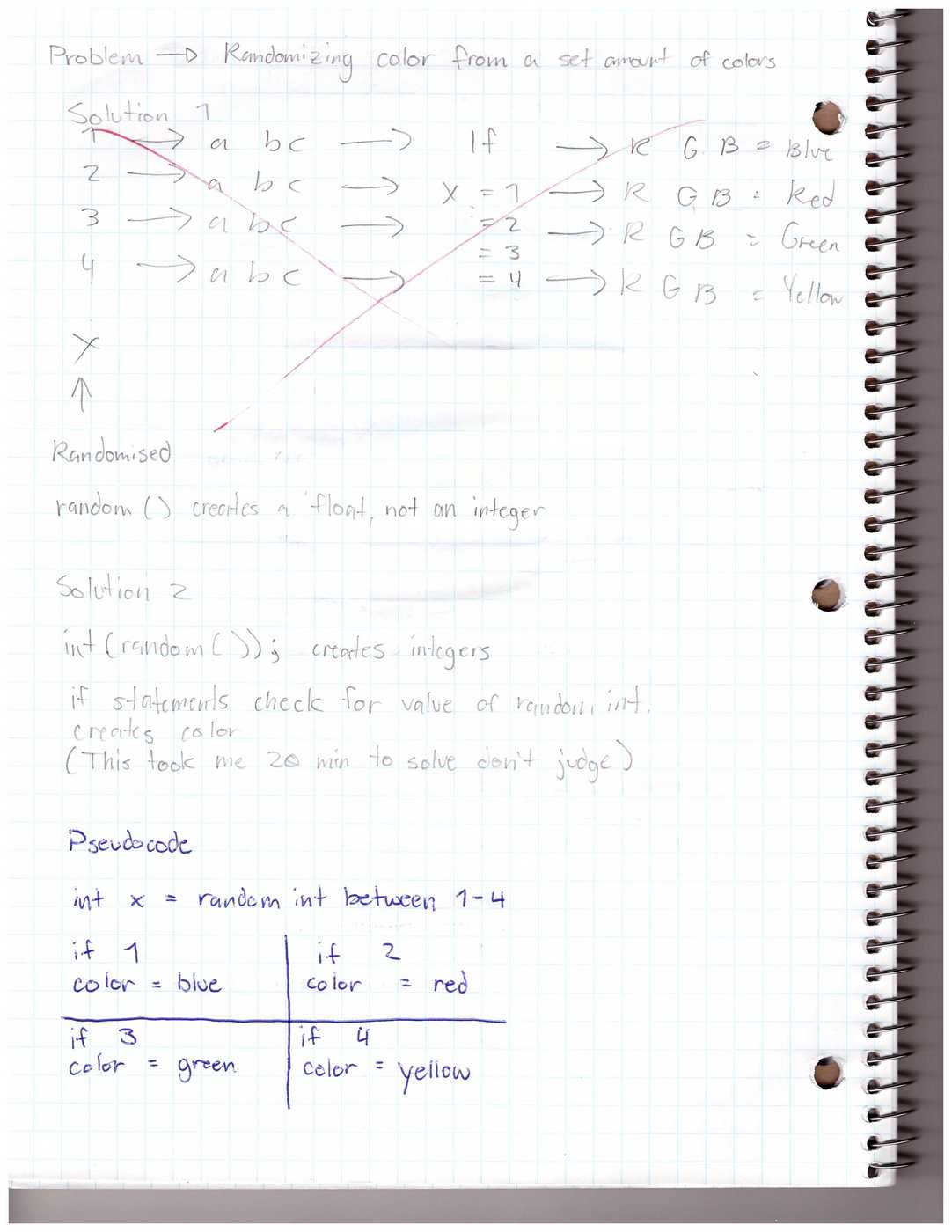
//Randomly generates a number between 1 and 4, depending on the number a color flashes
int generator = int(random(0, 4));
//A number of 0 displays Red
if (generator == 0)
{
fill (255, 0, 0);
triangle(200, 80, 200, 200, 320, 200);
fill(170);
quad(200, 160, 160, 200, 200, 240, 240, 200);
//Generated Pattern Variable to check against Player Input
correctMatch [0] = 0;
}
//A number of 1 displays Green
if (generator == 1)
{
fill (0, 255, 0);
triangle(200, 80, 200, 200, 80, 200);
fill(170);
quad(200, 160, 160, 200, 200, 240, 240, 200);
//Generated Pattern Variable to check against Player Input
correctMatch [0] = 1;
}
//A number of 2 displays Blue
if (generator == 2)
{
fill (0, 0, 255);
triangle(200, 200, 200, 320, 320, 200);
fill(170);
quad(200, 160, 160, 200, 200, 240, 240, 200);
//Generated Pattern Variable to check against Player Input
correctMatch [0] = 2;
}
//A number of 3 displays Yellow
if (generator == 3)
{
fill(255, 255, 0);
triangle(80, 200, 200, 200, 200, 320);
fill(170);
quad(200, 160, 160, 200, 200, 240, 240, 200);
//Generated Pattern Variable to check against Player Input
correctMatch [0] = 3;
}
}
}class PlayerInput
{
void buttonRed()
{
fill (255, 0, 0);
triangle(200, 80, 200, 200, 320, 200);
fill(170);
quad(200, 160, 160, 200, 200, 240, 240, 200);
//Player Input Variable to check against Generated Pattern
correctMatch [1] = 0;
}
void buttonGreen()
{
fill (0, 255, 0);
triangle(200, 80, 200, 200, 80, 200);
fill(170);
quad(200, 160, 160, 200, 200, 240, 240, 200);
//Player Input Variable to check against Generated Pattern
correctMatch [1] = 1;
}
void buttonBlue()
{
fill (0, 0, 255);
triangle(200, 200, 200, 320, 320, 200);
fill(170);
quad(200, 160, 160, 200, 200, 240, 240, 200);
//Player Input Variable to check against Generated Pattern
correctMatch [1] = 2;
}
void buttonYellow()
{
fill(255, 255, 0);
triangle(80, 200, 200, 200, 200, 320);
fill(170);
quad(200, 160, 160, 200, 200, 240, 240, 200);
//Player Input Variable to check against Generated Pattern
correctMatch [1] = 3;
}
}