//OBJECT-ORIENTED TOY
//"KILL THE LIGHTS" BY KEVAN CHAMBERS

//USE ARROW KEYS TO MOVE THE ADORABLE SPHERE OF DEATH
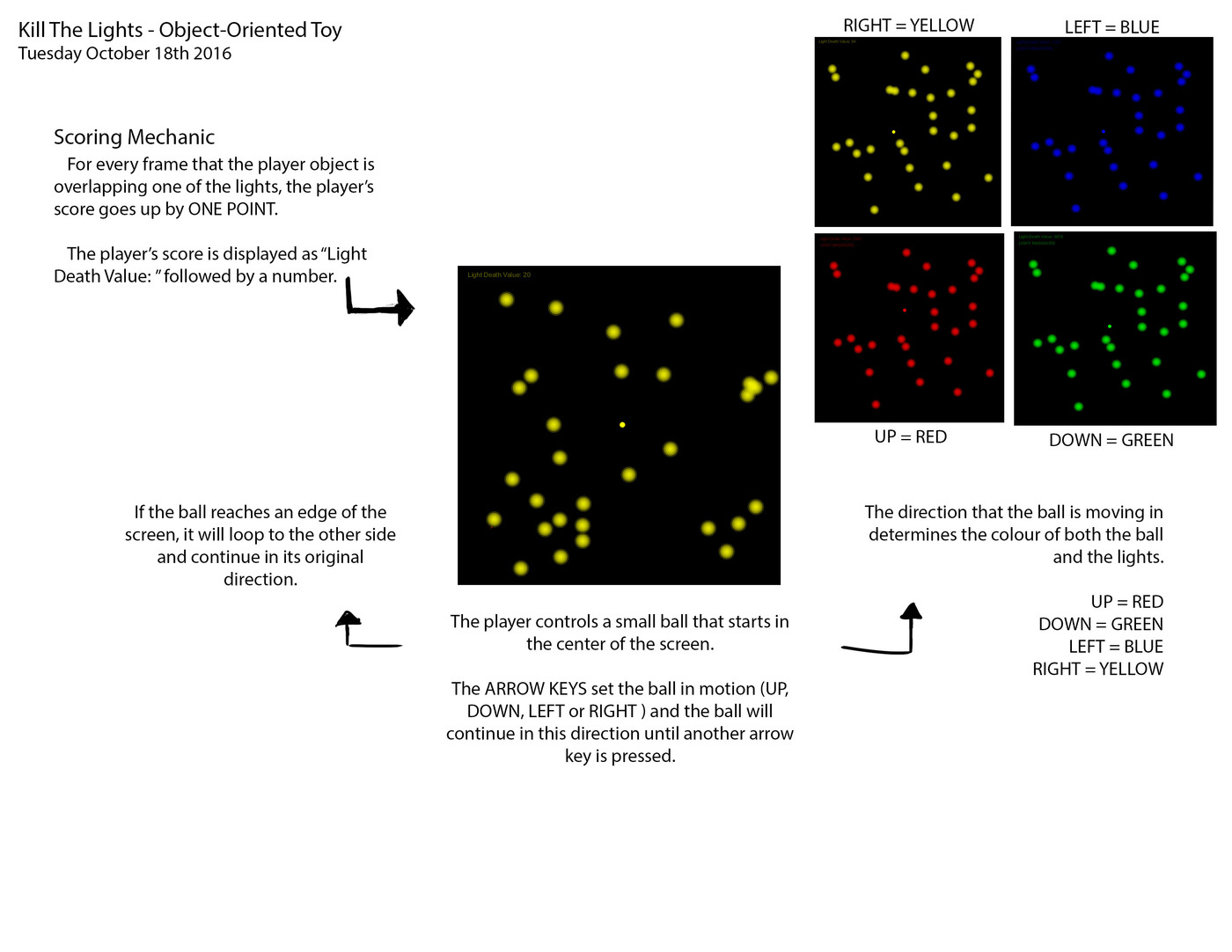
//MOVE SAID SPHERE OVER ONE OF THE GLOWING LIGHTS TO TEMPROARILY DOUSE/KILL IT
//THE MORE YOU KILL THE LIGHTS, THE HIGHER YOUR "LIGHT DEATH VALUE" WILL RISE
//REACHING A HIGH ENOUGH LDV WILL WRITE A SUPER SECRET MESSAGE UNDER YOUR LDV
//THE COLOR OF THE DEATH SPHERE AND THE LIGHTS IS DETERMINED BY THE DIRECTION YOU MOVE
//WELCOME TO "KILL THE LIGHTS: A TECHNICOLOR NIGHTMARE"

//Declare the player object
Player player1;

//Declare an array of thirty light objects
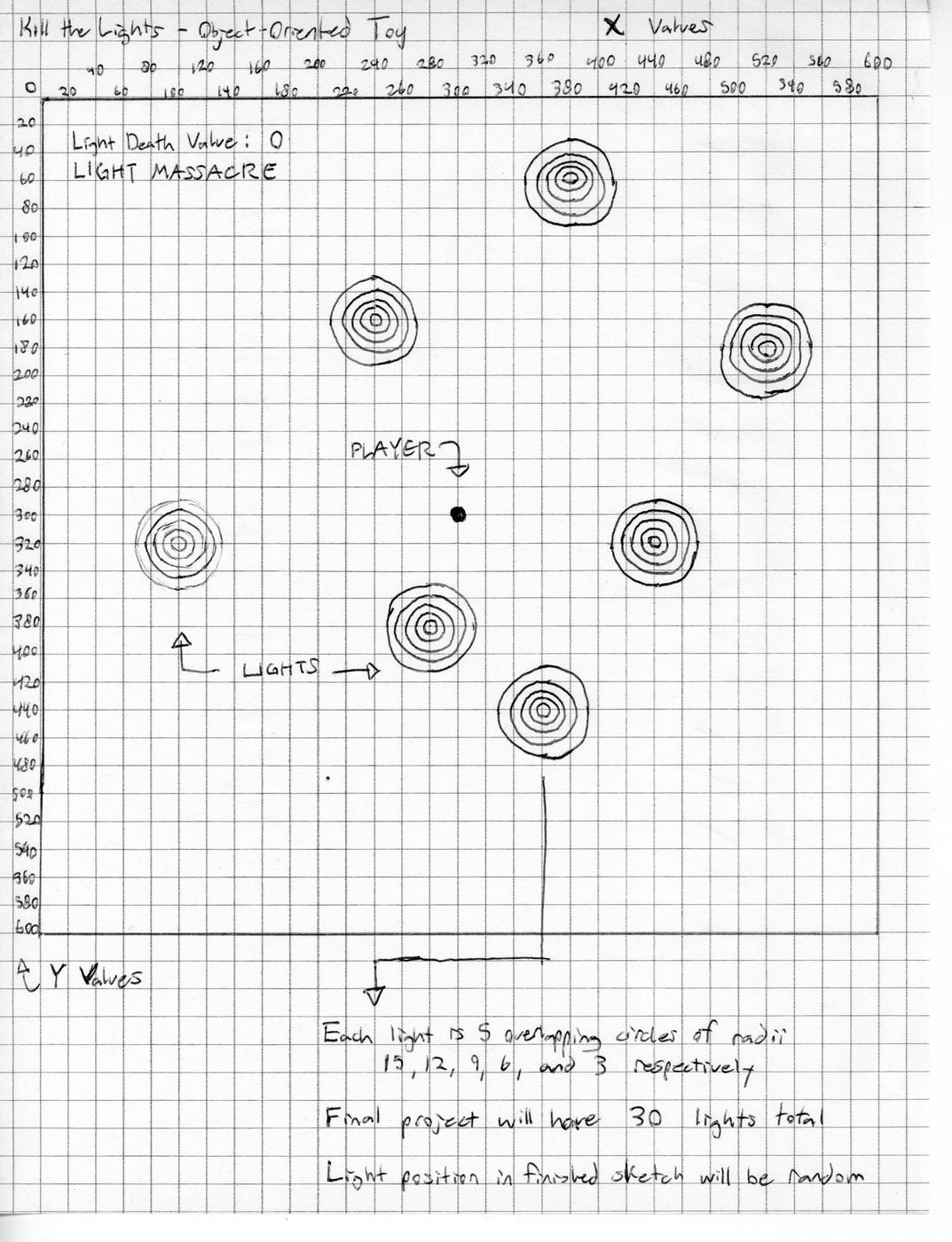
Light [] lights = new Light[30];

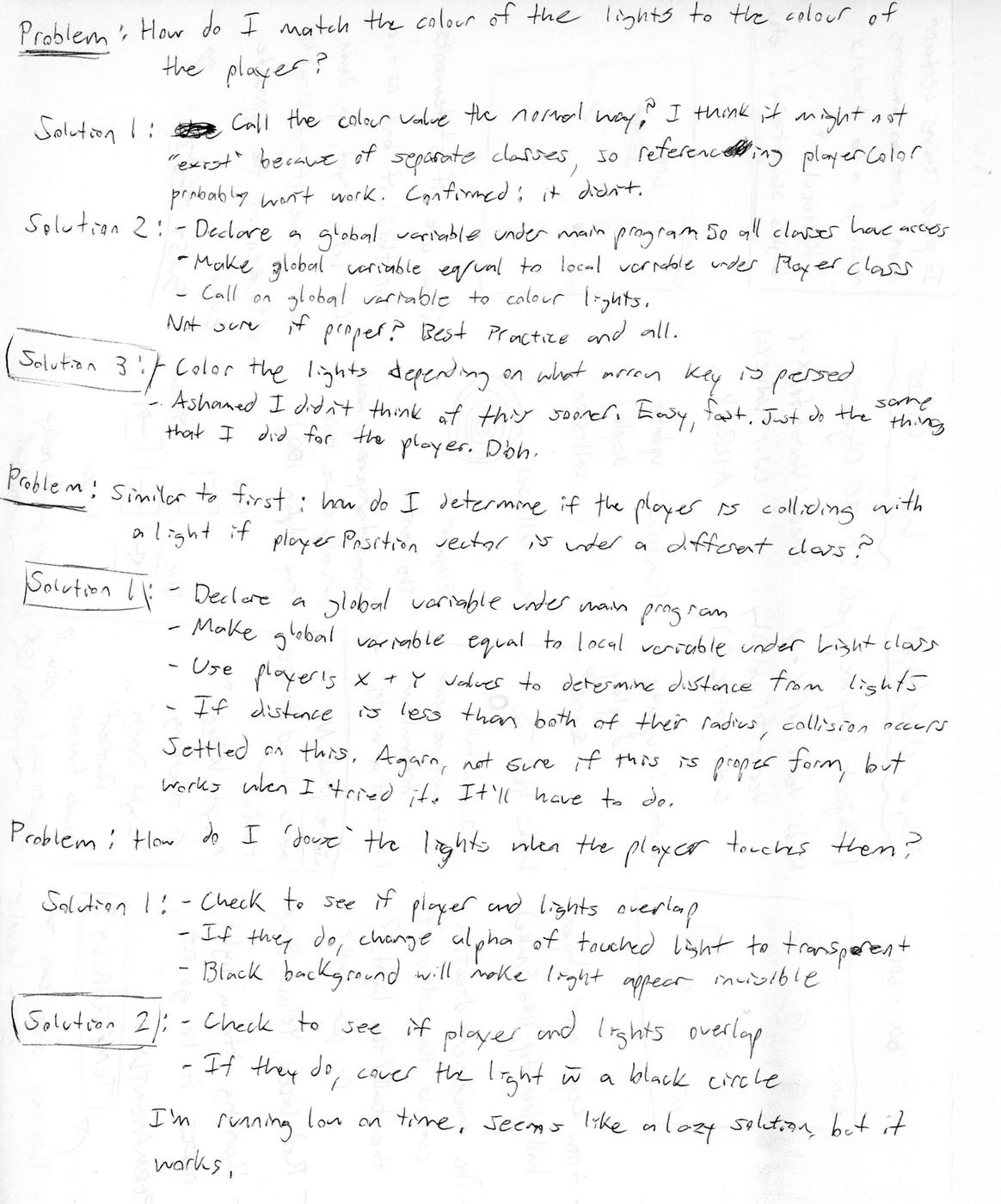
//Global vector for player location (see Player class lines 69-71)
PVector playerLocation = new PVector();

//Global variable for player's score (see Light class lines 75-76)
int lightsKilled;

void setup() {
  //Determines canvas size
  size(600,600);

  //Erases outlines of shapes in the drawing
  noStroke();

  //Initializes the player object at the center of the screen
  player1 = new Player (width/2, height/2);

  //Places the thirty light objects at random positions on the screen
  for (int lightCount = 0; lightCount < lights.length; lightCount++) {
    lights[lightCount] = new Light(random(50, 580), random(50, 580), color (255));
  }
}

void draw() {
  //Changes background colour to black, as it makes for nice contrast with the lights
  background(0);

  //Call methods for updating/displaying the player
  player1.updatePlayer();
  player1.displayPlayer();

  //Call methods for each of the light objects, including collision detection
  for(int lightCount = 0; lightCount < lights.length; lightCount++){
    lights[lightCount].displayLight();
    lights[lightCount].collide();
  }

  //Call method for displaying the player's score
  player1.score();
}
//Class for the lights that appear randomly around the screen
class Light {
//Data for the light class
//Vector for handling the lights' X and Y values at any given time
PVector lightPosition = new PVector();
//The various lights' color values
color lightColor;
//Constructor for the light class
Light(float tempLightX, float tempLightY, color tempLightColor) {
lightPosition.x = tempLightX;
lightPosition.y = tempLightY;
lightColor = tempLightColor;
}
//Methods for the light class
void displayLight() {
//Determines what happens to the lights when the arrow keys are pressed
//If UP arrow key is pressed, the lights are turned red to match the player
if (keyCode == UP) {
lightColor = color(255,0,0,50);
//If DOWN arrow key is pressed, the lights are turned green to match the player
}else if (keyCode == DOWN) {
lightColor = color(0,255,0,50);
//If LEFT arrow key is pressed, the lights are turned blue to match the player
}else if (keyCode == LEFT) {
lightColor = color(0,0,255,50);
//If RIGHT arrow key is pressed, the lights are turned yellow to match the player
}else if (keyCode == RIGHT) {
lightColor = color(255,255,0,50);
}
//Draws the lights as five overlapping semi-transparent circles
//Draws the largest circle, the most transparent as it lacks overlap
fill(lightColor);
ellipse(lightPosition.x, lightPosition.y, 30, 30);
//Draws the second largest circle, less transparent as it overlaps larger circle
fill(lightColor + color(0, 0, 0, 50));
ellipse(lightPosition.x, lightPosition.y, 24, 24);
//Draws the moderately sized circle, less transparent as it overlaps two circles
fill(lightColor + color(0, 0, 0, 50));
ellipse(lightPosition.x, lightPosition.y, 18, 18);
//Draws the second smallest circle, less transparant as it overlaps three circles
fill(lightColor + color(0, 0, 0, 50));
ellipse(lightPosition.x, lightPosition.y, 12, 12);
//Draws the smallest circle, barely transparant as it overlaps four circles
fill(lightColor + color(0, 0, 0, 50));
ellipse(lightPosition.x, lightPosition.y, 6, 6);
}
void collide() {
//Gets the distance between the player's location and the lights' locations
float distance = dist(playerLocation.x, playerLocation.y, lightPosition.x, lightPosition.y);
//If the player and one of the lights overlap...
if (distance < 20) {
//...Draws a black circle over the light to 'douse' it temporarily
fill(0);
ellipse(lightPosition.x,lightPosition.y, 32, 32);
//...Increases the player's score by 1 for every frame they overlap
lightsKilled = lightsKilled + 1;
}
}
}//Class for the adorable sphere of death that the player controls
class Player {
//Data for the player class
//Vector for handling the player's X and Y values at any given time
PVector playerPosition = new PVector();
//Vector for handling the player's speed and direction
PVector playerVelocity = new PVector();
//The adorable sphere of death's color values (initializes as white)
color playerColor = color (255, 255, 255);
//Constructor for the player class
Player(float tempPlayerX, float tempPlayerY) {
playerPosition.x = tempPlayerX;
playerPosition.y = tempPlayerY;
}
//Methods for the player class
void updatePlayer() {
//Determines what happens to the player when the arrow keys are pressed
//If UP arrow key is pressed, the player is turned red and moves upward
if (keyCode == UP) {
playerColor = color(255,0,0);
playerVelocity.set(0,-10);
//If DOWN arrow key is pressed, the player is turned green and moves downward
}else if (keyCode == DOWN) {
playerColor = color(0,255,0);
playerVelocity.set(0,10);
//If LEFT arrow key is pressed, the player is turned blue and moves left
}else if (keyCode == LEFT) {
playerColor = color(0,0,255);
playerVelocity.set(-10,0);
//If RIGHT arrow key is pressed, the player is turned yellow and moves right
}else if (keyCode == RIGHT) {
playerColor = color(255,255,0);
playerVelocity.set(10,0);
}
//Moves the player based on what arrow key was pressed (above)
playerPosition.add(playerVelocity);
//Loops the screen so that the player cannot leave the play area
//If the player touches the top of the screen, they loop to the bottom
if (playerPosition.y < -5) {
playerPosition.y = 605;
//If the player touches the bottom of the screen, they loop to the top
}else if (playerPosition.y > 605) {
playerPosition.y = -5;
//If the player touches the left edge of the screen, they loop to the right edge
}else if (playerPosition.x < -5) {
playerPosition.x = 605;
//If the player touches the right edge of the screen, they loop to the left edge
}else if (playerPosition.x > 605) {
playerPosition.x = -5;
}
//Sends player location values into a global vector so other class can access
playerLocation.x = playerPosition.x;
playerLocation.y = playerPosition.y;
}
void displayPlayer() {
//Colors the player based on the direction they're moving
fill(playerColor);
//Draws the player as an adorable sphere of death
ellipse(playerPosition.x, playerPosition.y, 10, 10);
}
void score() {
//Displays message in top left corner of the screen containing player's score
String score = ("Light Death Value: "+lightsKilled+"");
text(score, 20, 25);
//If player score reaches 300, displays a secret message beneath their score
if (lightsKilled > 300) {
String massacre = ("LIGHT MASSACRE");
text(massacre, 20, 45);
}
}
}