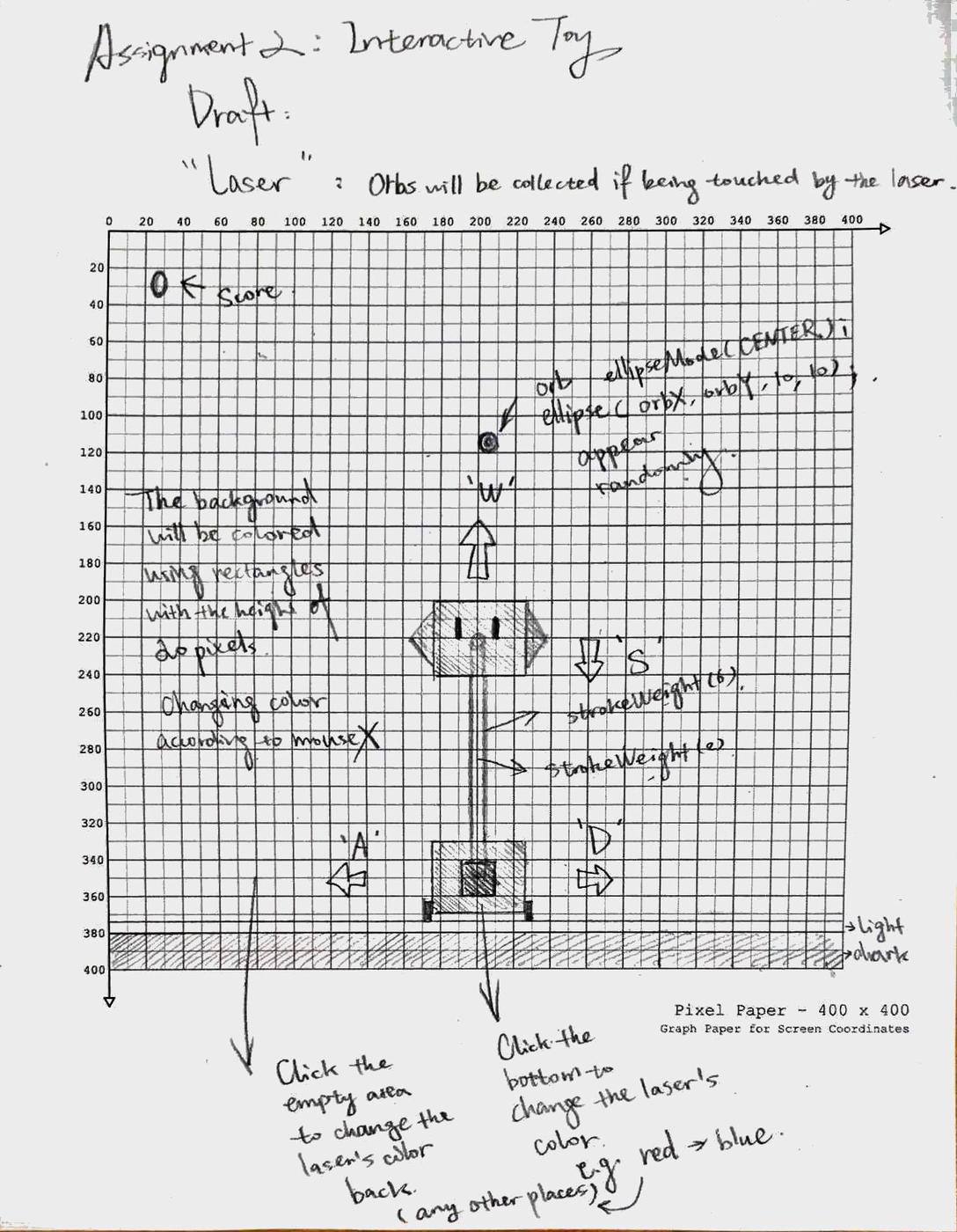
/* Assignment 2: Interactive Toy
"Laser"
BY: Alina Zhang

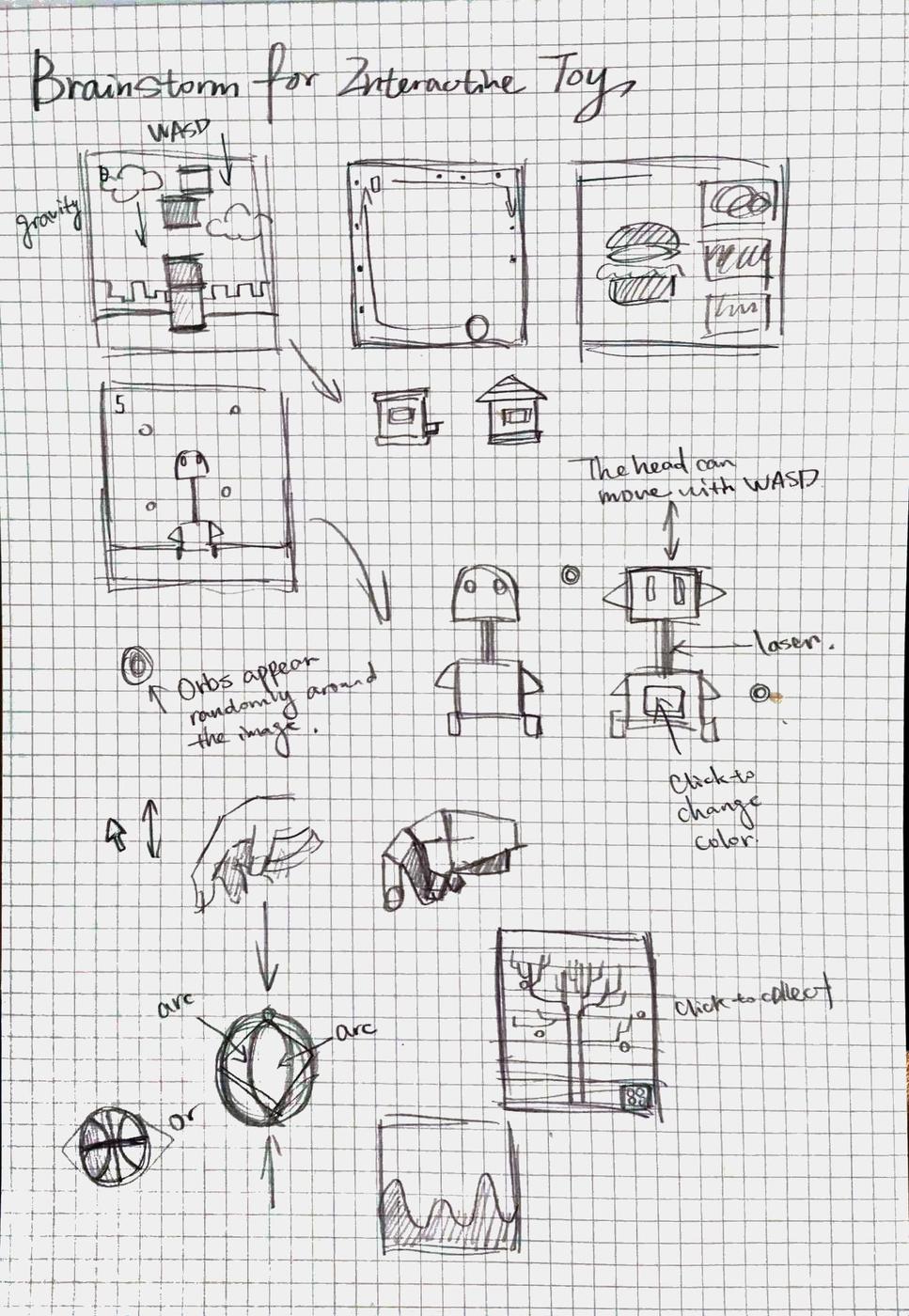
- Use WASD to control the two blocks move around
- Let laser between the two blocks to get touched with orbs to get score
- Move the mouse around to change the background color
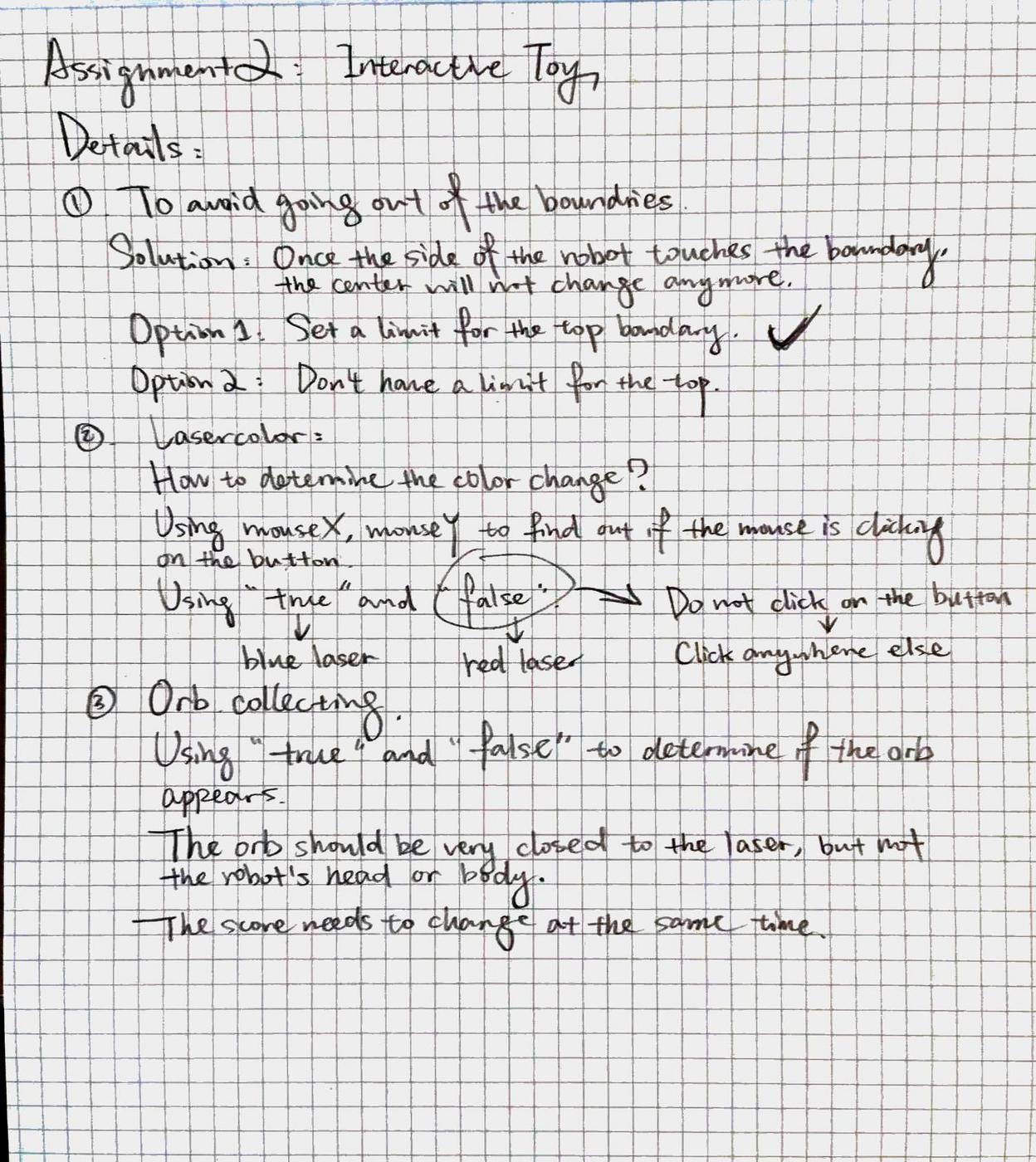
- Change the color of laser to blue by clicking the button on the robot's body, and change the color back to red by clicking any other places
*/

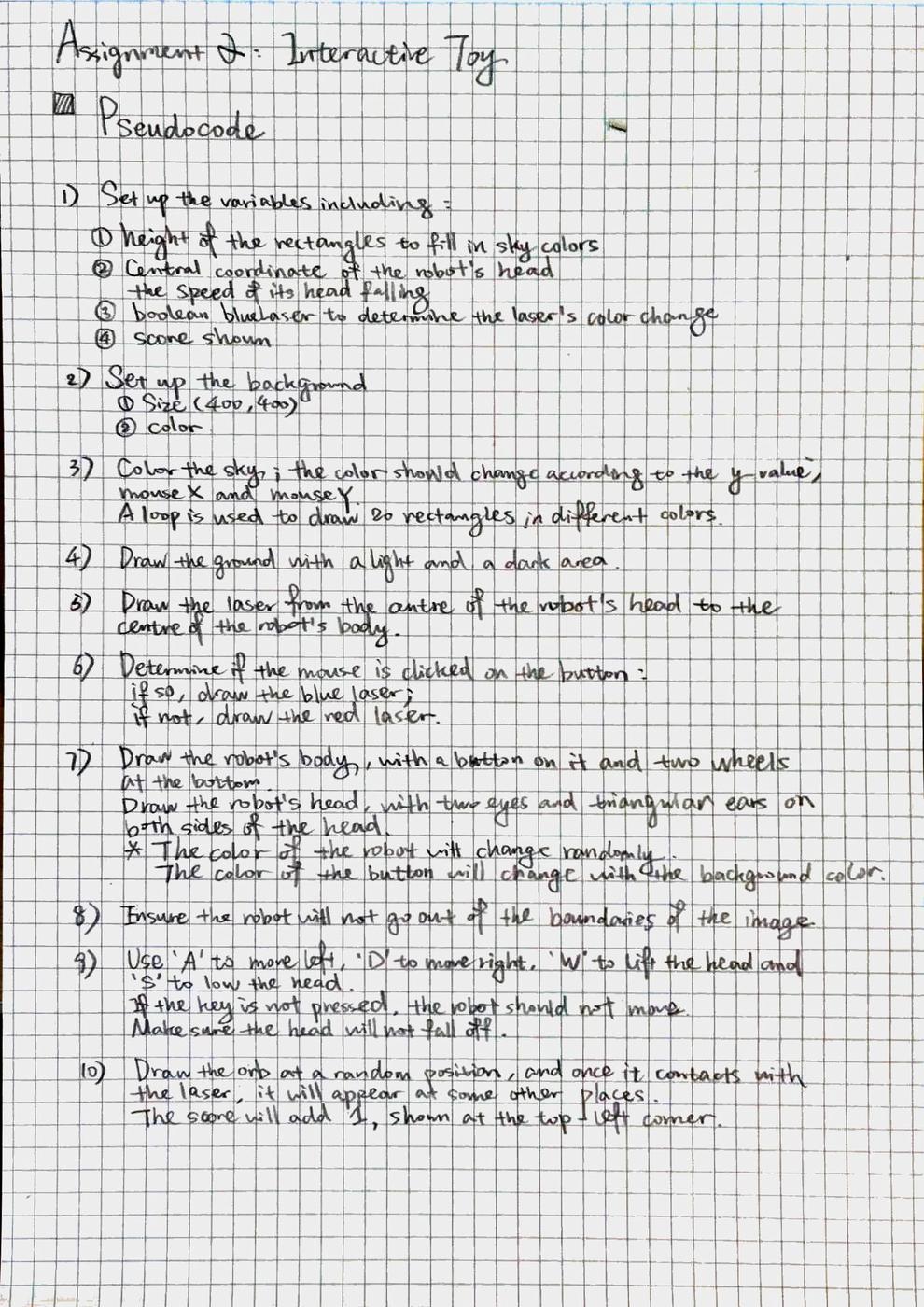
// Set the variale for sky and coloring
float skyY;

// Set variables for blocks
float blockX;
float blockY;
float blockSpeed;

// Set variables for orbs
int orbX;
int orbY;
int orbNumber;
float orbSpeed;
boolean appear;

// Set the variable to change the laser's color
boolean blueLaser;

// Set the variable for scores
int score = 0;


void setup(){
  // Set up the size of the background
  size(400, 400);

  // Provide the following variables with initial values
  blockX = 200;
  blockSpeed = 1;
  orbSpeed = 3;
}


// Put different parts of the toy together
void draw(){
  // Color the background
  background(42, 255, 255);

  // Color the sky using rectangles in different colors
  skyY = 0;
  while(skyY < 400){
  drawSky();
  skyY += 20;
  }

  drawLand();

  drawLaser();

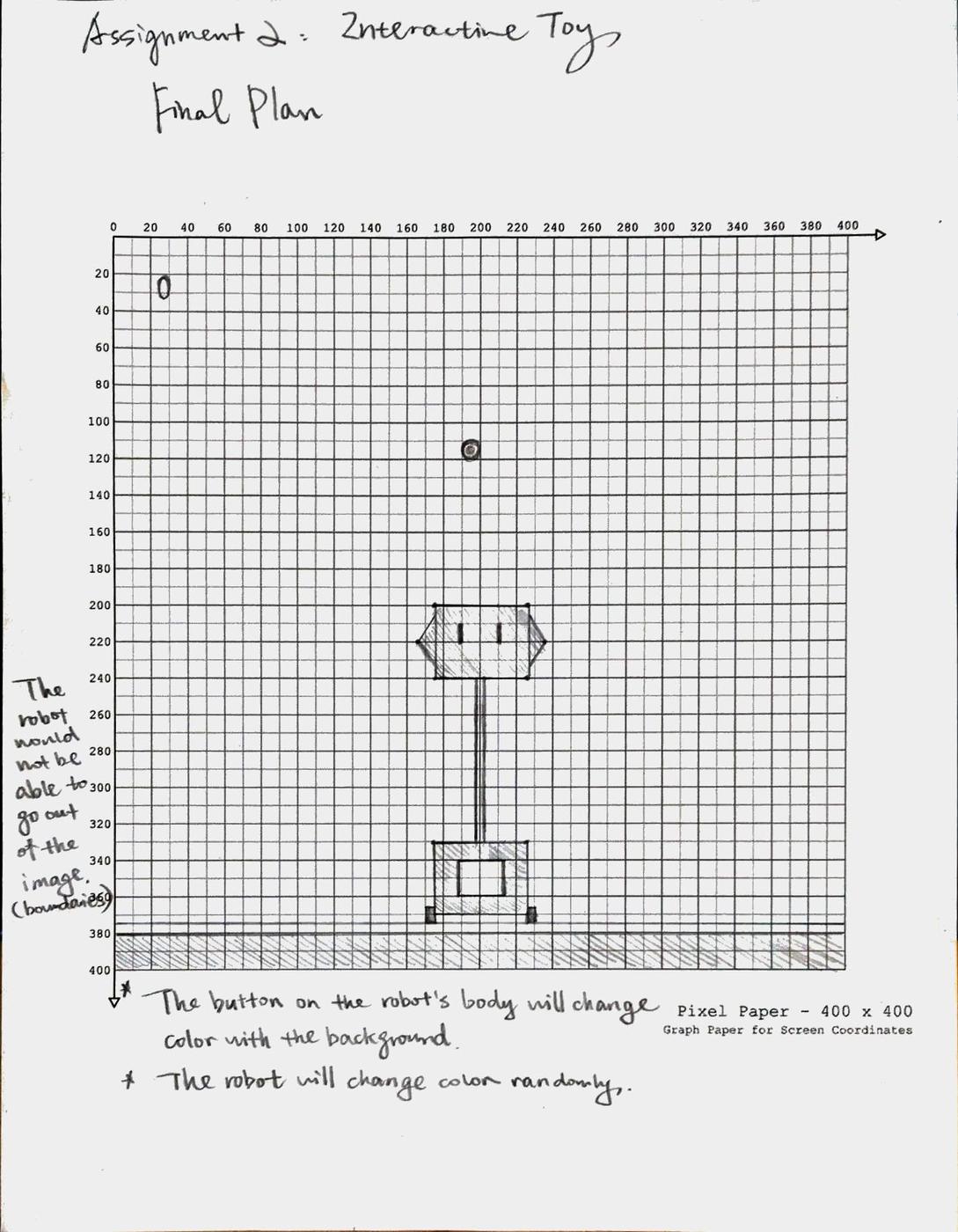
  drawBlockBase();
  drawBlock();
  boundaries();
  updateBlock();

  InteractWithOrb();

  text(score, 25, 30);
}


// Draw the sky that will change color with the mouse moving
void drawSky(){
  rectMode(CORNER);
  noStroke();
  fill(mouseY-skyY/400*255, 165+skyY/400*255, mouseX);
  rect(0, skyY, 400, 20);
}


// Draw the ground
void drawLand(){
  fill(#9CA5BC);
  rect(0,375,400,25);
  fill(#828CA5);
  rect(0,380,400,20);
}


// Draw the laser that connects the two blocks together
void drawLaser(){
  // Blue laser
  if (blueLaser == true){
    // Draw the part of laser with the darker color
    stroke(#333EF2);
    strokeWeight(6);
    line(blockX, 355, blockX, blockY);
    // Draw the part of laser with the lighter color
    stroke(#A2A6FA);
    strokeWeight(2);
    line(blockX, 355, blockX, blockY);
  }
  // Red laser
  if (blueLaser == false){
    // Draw the part of laser with the darker color
    stroke(#FF0353);
    strokeWeight(6);
    line(blockX, 355, blockX, blockY);
    // Draw the part of laser with the lighter color
    stroke(#FFA7C3);
    strokeWeight(2);
    line(blockX, 355, blockX, blockY);
  }
}


// Determine the whether the color of the laser should change or not
void mousePressed(){
  if (mouseX >= blockX-12.5 && mouseX <= blockX+12.5 && mouseY >= 345 && mouseY <= 365){
    blueLaser = true;
  }else{
    blueLaser = false;
  }
}


// Draw the robot's body
void drawBlockBase(){
  rectMode(CENTER);
  stroke(0);
  strokeWeight(2);
  fill(random(100,200), random(100,200), random(100,200));
  rect(blockX, 350, 50, 40);
  // Draw wheels
  noStroke();
  fill(0);
  rect(blockX-28, 370, 4, 10);
  rect(blockX+28, 370, 4, 10);
  // Draw the button on the robot's body that will change color as the background does
  stroke(#41DEC7);
  strokeWeight(2);
  fill(mouseY-skyY/400*255, 165+skyY/400*255, mouseX);
  rect(blockX, 355, 25, 20);
}


// Draw the head of the robot
void drawBlock(){
  stroke(0);
  fill(random(100,200), random(100,200), random(100,200));
  rect(blockX, blockY, 50, 40);
  // Robot's ears
  triangle(blockX-25, blockY-15, blockX-35, blockY, blockX-25, blockY+15);
  triangle(blockX+25, blockY-15, blockX+35, blockY, blockX+25, blockY+15);
  // Robot's eyes
  fill(0);
  rect(blockX-10, blockY-5, 2, 10);
  rect(blockX+10, blockY-5, 2, 10);
}


// Determine the functions of WASD, which is to moving the robot around and its head up and down
void keyPressed(){
  //
  if(key == 'a'){
    blockX -= 2;
  }
  if(key == 'd'){
    blockX += 2;
  }
  if(key == 's'){
    blockY += 2;
  }
  if(key == 'w'){
    blockY -= 8;
  }
}
// The keys stop to function of the user is not pressing them
void keyReleased(){
  if(key == 'a'){
    blockX -= 0;
  }
  if(key == 'd'){
    blockX += 0;
  }
  if(key == 's'){
    blockY += 0;
  }
}


// Ensure the robot will not run out of the boundaries
void boundaries(){
 if(blockX < 29){
   blockX = 29;
 }
 if(blockX > width-29){
   blockX = 371;
 }
 if(blockY < 20){
   blockY = 20;
 }
}


// Update the movement of the head of the robot(limit its movement to avoid it colliding with the body)
void updateBlock(){
  blockY += blockSpeed;
  if(blockY > 315){
  blockY = 315;
  }
}


// Let the yellow orb appears randomly if it is not touched by the laser, and the score should be counted when the laser touches the orb
// Inspired by Christopher Eewson's interactive toy from Gallery 2017.
void InteractWithOrb(){

  // Decide the location of the orb
  if (appear == false){
    orbX = ((int)random(50, width-50));
    orbY = ((int)random(50, height-100));
    appear = true;
  }

  // Draw the orb
  if (appear == true){
    ellipseMode(CENTER);
    stroke(#FFD746);
    fill(#FFF2C4);
    ellipse(orbX, orbY, 10, 10);
  }

  // The conditions to get the score
  if (blockX >= (orbX-5) && blockY <= (orbY-20) && blockX <= (orbX+5)){
    score++;
    appear = false;
  }
}