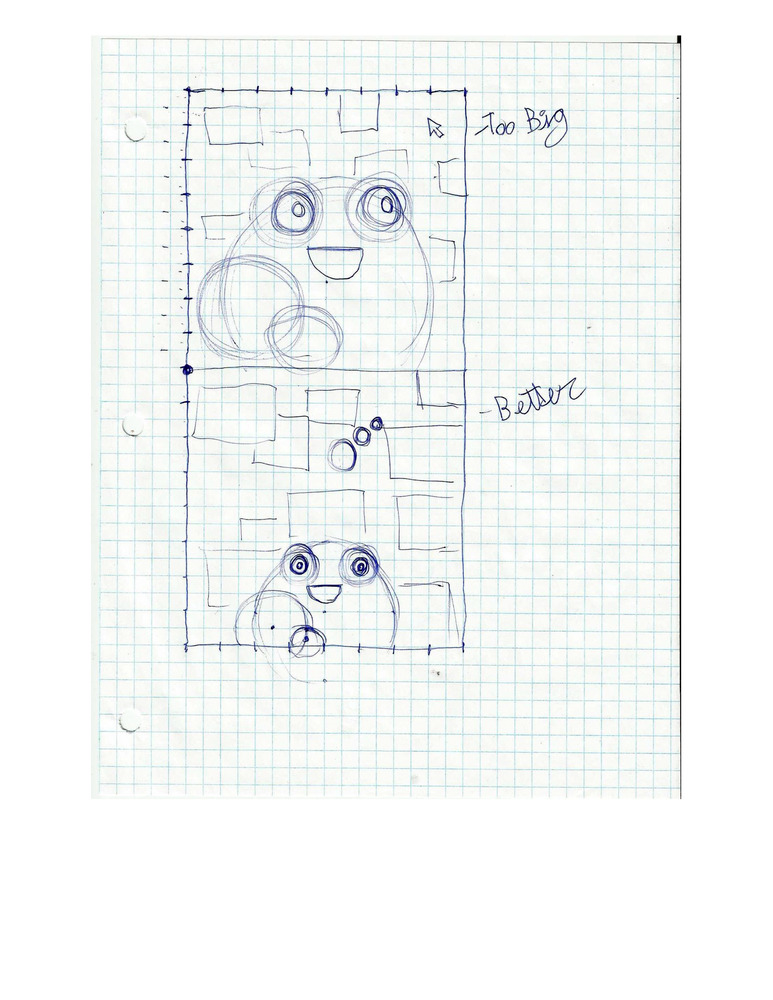
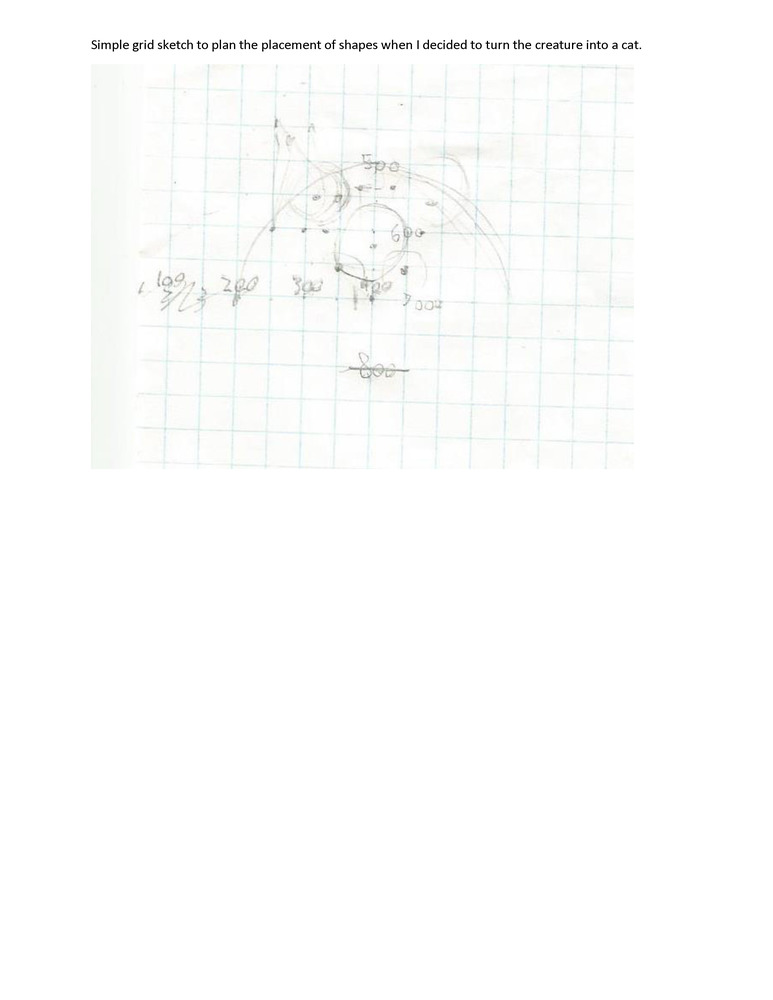
//Interactive Toy
//Jesse Baker

//Code citation: Some code taken from the Learning Processing textbook (Shiffman)

PVector pos = new PVector (0, 0); //X and Y position of the ball
PVector speed = new PVector (0, 0); //X and Y speed of the ball
PVector gravity = new PVector (0, 0.3); //Value controls the force of gravity
PVector clickPos = new PVector (0, 0); //Postion of the last place the mouse was when the button was clicked
boolean ball = false; //If false, ball is not drawn.
boolean slingFollow = true; //When true, the slingshot is drawn
boolean mouseHeld = false; //Is true while the mouse button is held down
color catMain = #837555; //The main colour for the cat (Brown)
color catDark = #584F39; //The secondary colour for the cat (Dark brown)
color pink = #F27FBD; //Used for the nose and ears of the cat (pink)
color black = color (0, 0, 0); //Used for the ball and the cat's pupils (Black)
color slingMain = #865B27; //The main colour of the slingshot (different brown from cat)
color slingDark = #432B0D; //The darker colour of the slingshot (different dark brown from cat)
color white = color(255, 255, 255); //White
float[] rands = {
  random(0, 21), random(0, 21), random(0, 21), random(0, 21), random(0, 21) //These random values are set at the begining, and used to make the background
};
int[] trailX = new int[10]; //These arrays are used to store previous ball positions, to draw the trail
int[] trailY = new int[10];

void setup () {
  size(800, 800);
  frameRate (60);
  for (int i = 0; i<trailX.length; i++) {
    trailX[i] = 0;           //Fill both arrays with 0
    trailY[i] = 0;
  }
}

void draw () {
  background(white);
  makeBackground(); //Make the randomized background
  cat();       //Draw the cat
  if (ball == true) { //Only draw the ball when it is active
    trailUpdate(); //Shift the array position for the trail
    ballUpdate(); //Call the function which handles the ball's movement
  }
  slingShot(); //Draw the slingshot
  if (mouseHeld == true) {//When the mouse button is held, draw the slingshot's strings
    drawStrings(); //Call the function which draws the slingshot strings
  }
}

void ballUpdate () { //This function draws the ball based on position, speed and gravity
  //fill(black);
  for (int i = 0; i < trailX.length; i++) { //This loop draws the ball and trail.
    fill(255-i*28); //Make it so the colour changes for different segments of the trail
    ellipse (trailX[i], trailY[i], i*5, i*5); //The Ball
  }
  pos.y += speed.y;    //Move the ball in the y-axis
  pos.x += speed.x;    //Move the ball in the x-axis
  speed.y += gravity.y; //Apply gravity
  speed.x += gravity.x; //X gravity is not used by default, but is functional.


  //If you hit an edge of the screen, reverse directions
  if (pos.y >= height) {  //Bottom of the screen
    speed.y = abs(speed.y) * -.8; //Set to the absolute value to control whether the value becomes positive or negative. Decrease the speed each time you bounce.
  } else if (pos.y < 0) {  //Top of the screen
    speed.y = abs(speed.y * .8);
  }
  if ((pos.x >= width)) {  //Right edge, reverse directions
    speed.x = abs(speed.x) * -.8;
  } else if ((pos.x <= 0)) {  //Left edge, reverse directions
    speed.x = abs(speed.x * .8);
  }
}

void mousePressed () { //When the mouse button is pressed
  mouseHeld = true; //The mouse button is now being held down
  clickPos = new PVector (mouseX, mouseY); //Stores the mouse position when the mouse is clicked
  slingFollow = false; //Stop followwing the mouse on click
}

void drawStrings () {//Draw the slingshot's strings
  stroke(#432B0D); //Dark Brown
  strokeWeight(2);
  line (clickPos.x + 10, clickPos.y, mouseX, mouseY); //Strings
  line (clickPos.x - 10, clickPos.y, mouseX, mouseY);
}

void mouseReleased () { //When the mouse button is released
  mouseHeld = false; //The mouse button has now been released
  PVector curMouse =  new PVector (mouseX, mouseY); //The current position of the mouse
  PVector prevMouse = new PVector (clickPos.x, clickPos.y); //The position of the mouse when the button was pressed
  curMouse.sub(prevMouse); //Subtract the previous position from the current position to get a direction vector from the clickpos to the currentpos
  createBall(new PVector (mouseX, mouseY), curMouse); //Create the ball at the mouse position, with the velocity vector to launch it
  slingFollow = true; //Make the slingshot follow the mouse again
}

void createBall (PVector startPos, PVector direction) { //This function creates the ball in a position, and applies force to it
  ball = true; //Enable the ball
  pos.x = startPos.x; //startPos will be set to the mouse position
  pos.y = startPos.y;
  speed.x = direction.x * -1 / 10; //The direction is inverted so the ball launches in the opposite direction the mouse is pulled
  speed.y = direction.y * -1 / 10;
}

void keyPressed () {
  ball = false; //Remove the ball if any key is pressed
  resetBackground(); //Make a new background - useful for testing the randomness of the background
}

void cat () {                 //This function draws the cat
  rectMode(CENTER);
  fill(catMain);
  noStroke();
  strokeWeight(1);

  triangle(250, 600, 500, 650, 275, 450);//Ears
  triangle(550, 600, 300, 650, 525, 450);
  fill(pink);
  triangle(260, 590, 470, 640, 280, 465);// Inside ears
  triangle(540, 590, 330, 640, 520, 465);

  fill(catMain);
  ellipse (400, 700, 400, 400);  //Body

  fill(pink);//Pink
  ellipse(400, 630, 100, 100);      //Nose
  fill(catMain);
  rect(400, 570, 100, 50); //Cover up top of circle to make flat edge
  ellipse(350, 670, 60, 70); //Cover up sides of circle to make nostrils
  ellipse(450, 670, 60, 70);

  fill(catDark);
  ellipse (250, 750, 200, 200);  //Draw the hands (paws)
  ellipse (550, 750, 200, 200);

  ellipse (315, 550, 100, 100);
  ellipse (485, 550, 100, 100);     //Eyes
  fill(white);
  ellipse (485, 550, 80, 80);
  ellipse (315, 550, 80, 80);
  fill(black);
  if (ball) {
    ellipse(315 + ((pos.x - 400) /30), 532 + ((pos.y - 80)/20), 40, 40);      //Pupils, which follow the ball
    ellipse(485 + ((pos.x - 400) /30), 532 + ((pos.y - 80)/20), 40, 40);
  } else {
    ellipse(315, 550, 40, 40);     //If no ball, look forward
    ellipse(485, 550, 40, 40);
  }
}

void slingShot() {      //This function draws the slingshot
  float xP; //Temporary storage of an x position
  float yP; //y postion
  if (slingFollow == true) { //If the slingshot is following the mouse, set the x and y positions to be the mouse positions
    xP = mouseX;
    yP = mouseY;
  } else { //If it is set to not follow, set the x and y positions to be where the player clicked
    xP = clickPos.x;
    yP = clickPos.y;
  }
  rectMode(CENTER);
  fill(slingMain); //Light brown
  noStroke();
  rect (xP + 10, yP + 5, 5, 20, 5);
  rect (xP - 10, yP + 5, 5, 20, 5);  //Build the slingshot
  rect (xP, yP + 15, 20, 5, 5);
  rect (xP, yP + 25, 5, 20, 5);
  fill(slingDark); //Dark brown
  rect (xP, yP + 25, 5, 10, 5);  //Add the darker handle piece
}

void makeBackground () {     //This function makes a randomized background, based on random variables which stay constant until reset in resetBackground()

  for (int i = 0; i < 9; i++) { //Loop to create the pattern. Each rect below gets repeated downward, eventually completing pattern
    noStroke();
    rectMode(CENTER);

    for (int n = 0; n < 9; n++) {                                           //This loop draws the squares across the x axis, with n increasing each time.
      fill(rands[0]*10 + n*15, rands[1]*10 + n*15, rands[2]*10 + n*15, 200);//After leaving this loop, the i value of the other loop increases before re-entering this loop,
      rect (n*100, i*100, rands[2]*5+100, rands[3]*10+100, rands[4]*10);    //which moves the squares down before they are drawn again.
    }
  }
}
void resetBackground() { //Reset the random variables which control the background
  rands [0] = random(0, 21);
  rands [1] = random(0, 21);
  rands [2] = random(0, 21);
  rands [3] = random(0, 21);
  rands [4] = random(0, 21);
}

void trailUpdate () { //This function handles the ball's trail
  for (int i = 0; i < trailX.length - 1; i++) {
    trailX[i] = trailX[i+1]; //shift the array values for the ball trail down one place
    trailY[i] = trailY[i+1];
  }
  trailX[trailX.length - 1] = (int)pos.x; //Add the current position to the end of the arrays. When combined with the shifting, this will make the arrays hold the previous 10 positions, which are used to make the trail.
  trailY[trailY.length - 1] = (int)pos.y;
}